Cognitive, Social, and Emotional Interaction

Dr Charles Martin

Announcements

  • Assignment 2 Due today!
  • Next week lecture is on Friday (???)
  • Course now shifts to support final project.

Plan for the class

  1. Final Project Details
  2. Cognitive Aspects of Interaction
  3. Social Interaction
  4. Emotional Interaction

Final Project Details

  • a complete design and evaluation process for a prototype interactive system.
  • design a prototype in response to a real-world problem
  • evaluate this system using HCI research methods
  • report on the results

primary submission document: a 5-minute recorded presentation

Two users evaluating an interface in an office foyer.

Final Project Research Challenge

Sustainable living through technology: You woke up this morning, checked your email, and found that you have a new job—ANU Student Lead for Sustainable Living!

Your challenge is to help university students adopt sustainable behaviours in their everyday lives guided by the UN Sustainable Development Goals (SDG) which call for urgent action on climate change, responsible consumption, and sustainable communities.

You will need to choose a focus (e.g., energy use, waste reduction, transportation, consumption), prototype and evaluate an interface to make sustainable living more accessible, engaging or effective. Your system should involve a level of non-standard interaction, either through unusual use of standard computer IO hardware, or a novel interface.

Final Project Specification

  • include documentation of a testable prototype, research question, evaluation plan, data collection, data analysis, and articulation of findings
  • include a video recording of a presentation which follows the provided headings: project-presentation.mp4
  • include documentation in project-documentation.md which follows the provided headings (N.B.: this text may be a transcript of your spoken presentation with references and images, it may also be a slightly different text.)

Final Project Sections

Your presentation and documentation will have the following sections:

  1. Research Question, Plan, and Conclusions

  2. Prototype Design and Features

  3. Research Data, Analysis and Findings: N.B. you can choose to collect either qualitative, quantitative, or both

  4. COMP6390 Only—Positionality Statement: critically reflect on your presence and influence within the technology design process in a statement of positionality.

Video Presentation

  • clear and concise covering the section headings above
  • understandable audio spoken by you
  • must include video of your face while presenting in the presentation
  • must include at least 5 but no more than 10 slides
  • title slides, personal introductions, tables of contents, reference slides are not required (waste of time!)

Suggested recording method: Microsoft Powerpoint’s built-in recording tool

no genAI or text-to-speech allowed for the video presentation!

Questions on the Final Project

Who has a question about the final project? (Or anything else?)

Cognitive Aspects

The way we think affects how we act and interact in our life.

We can design systems to cope well with human cognition to fit well with our capacity for remembering, deciding, perceiving, and attending.

COGNITION (Photo by Stefano Bucciarelli on Unsplash)

Cognition

A definition from Oxford English Dictionary:

The action or faculty of knowing taken in its widest sense, including sensation, perception, conception, etc., as distinguished from feeling and volition…

(Photo by Mathilda Khoo on Unsplash)

Cognitive processes

Cognitive processes can change depending on the problem:

  • Experiential Cognition: 2 + 2 =
  • Reflective Cognition: 312 x 56 =

A famous frame for this difference is “fast and slow thinking” (Kahneman, 2011).

What are cognitive processes?

  1. Attention
  2. Perception
  3. Memory
  4. Learning
  5. Reading, speaking, listening
  6. Problem solving, planning, reasoning, decision making
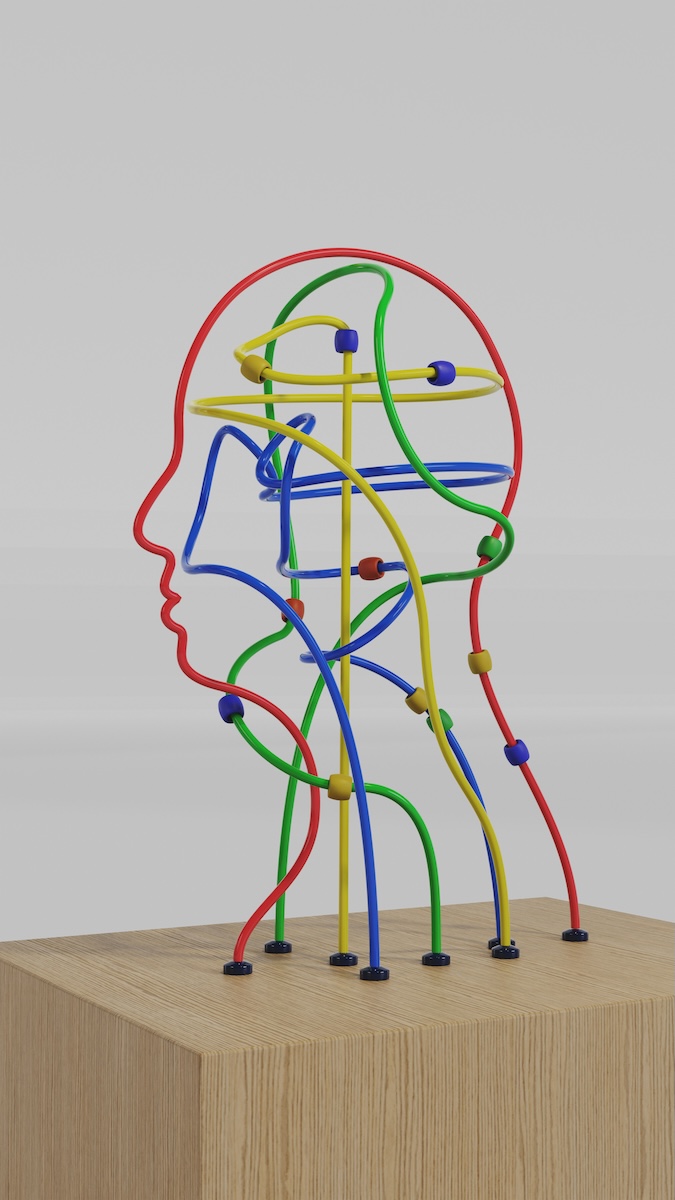
(Eysenck & Brysbaert, 2023)

(Photo by Luke Jones on Unsplash)

Attention

Selecting things to focus on, relevant to our needs, from possibilities.

  • clear goals (directed searching vs browsing)
  • information presentation (structure and layout in the interface)
  • multitasking and attention
    • depends on individuals and context
    • relevance of distractions
    • effort to task switch
    • designing to support effective multitasking

Structured and Unstructured information text (Rogers et al., 2023)

Design Implications for Attention

  • consider context to make information salient when required
  • techniques: animation, colour, ordering, spacing
  • avoid cluttered visual interfaces
  • support switching and returning (but how?)
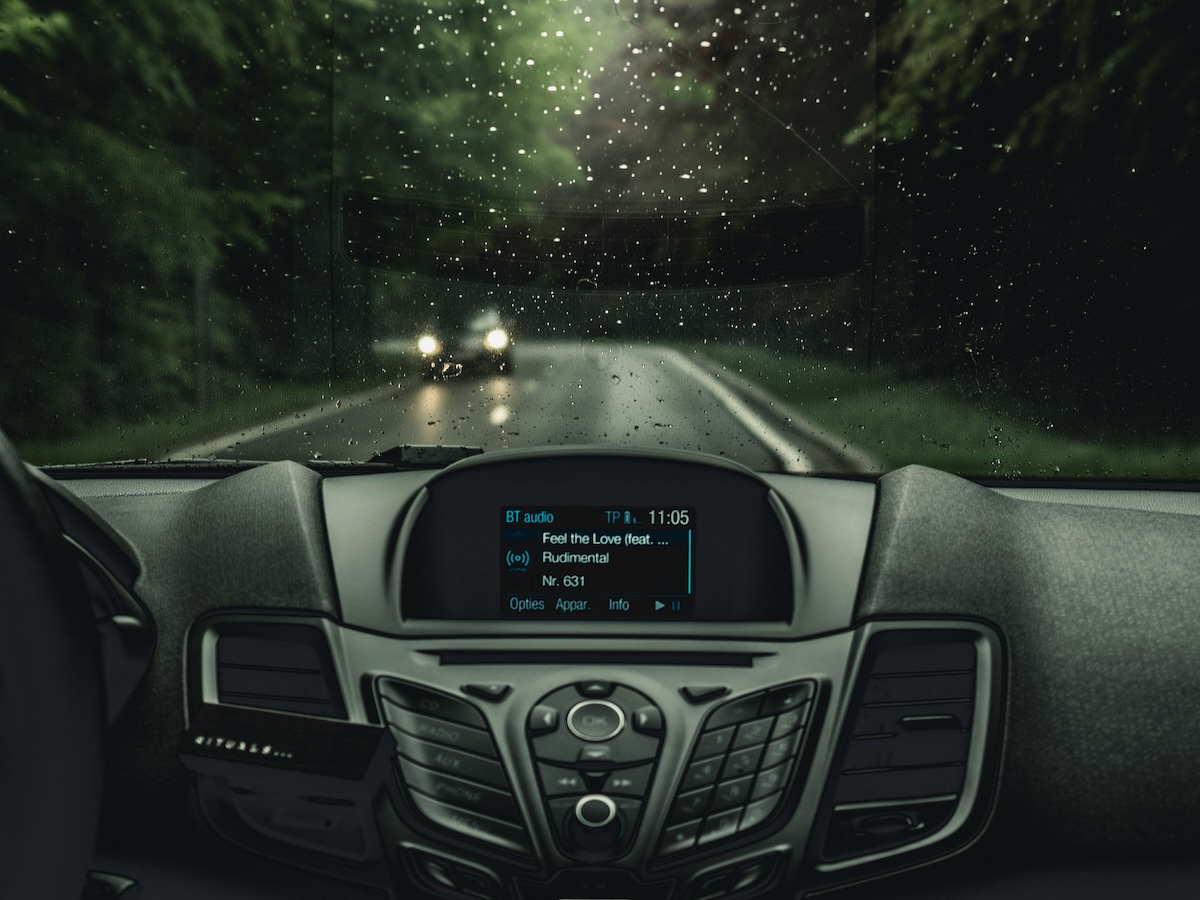
Some interfaces need to be very careful about attention… (Photo by milan degraeve on Unsplash)

Perception

  • how we sense information and transform it into experience
  • proprioception: Awareness of position and movement of body through muscles and joints
  • vision dominant for sighted folks
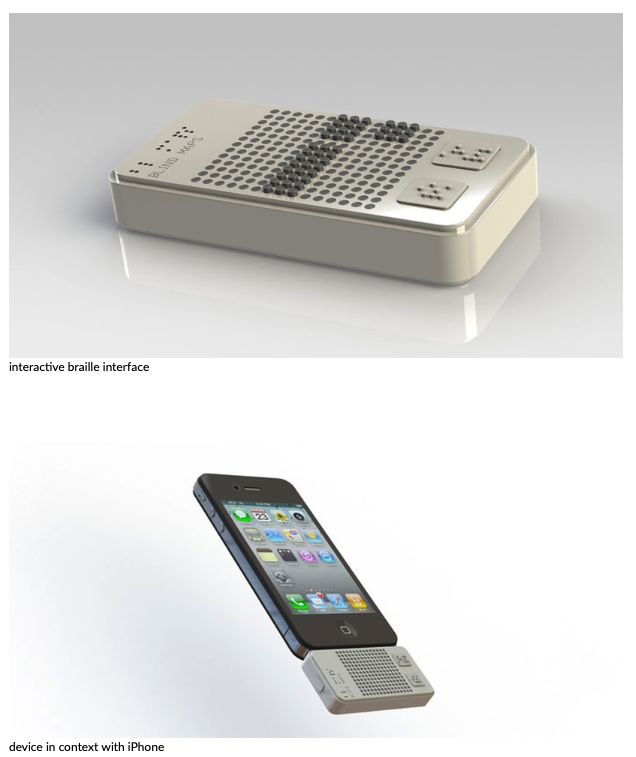
  • followed by hearing and touch
  • important to present information so that it can be readily perceived
How does our perception influence design? (image: Mathilda Khoo on Unsplash)

Design Implications for Perception

  • design icons and graphics to be distinguished
  • white space and separators to group information
  • sounds (earcons!) can help distinguish information
  • colour contrast is important for perception (and accessibility)
  • haptic feedback: use carefully, perhaps in response to user initiated actions
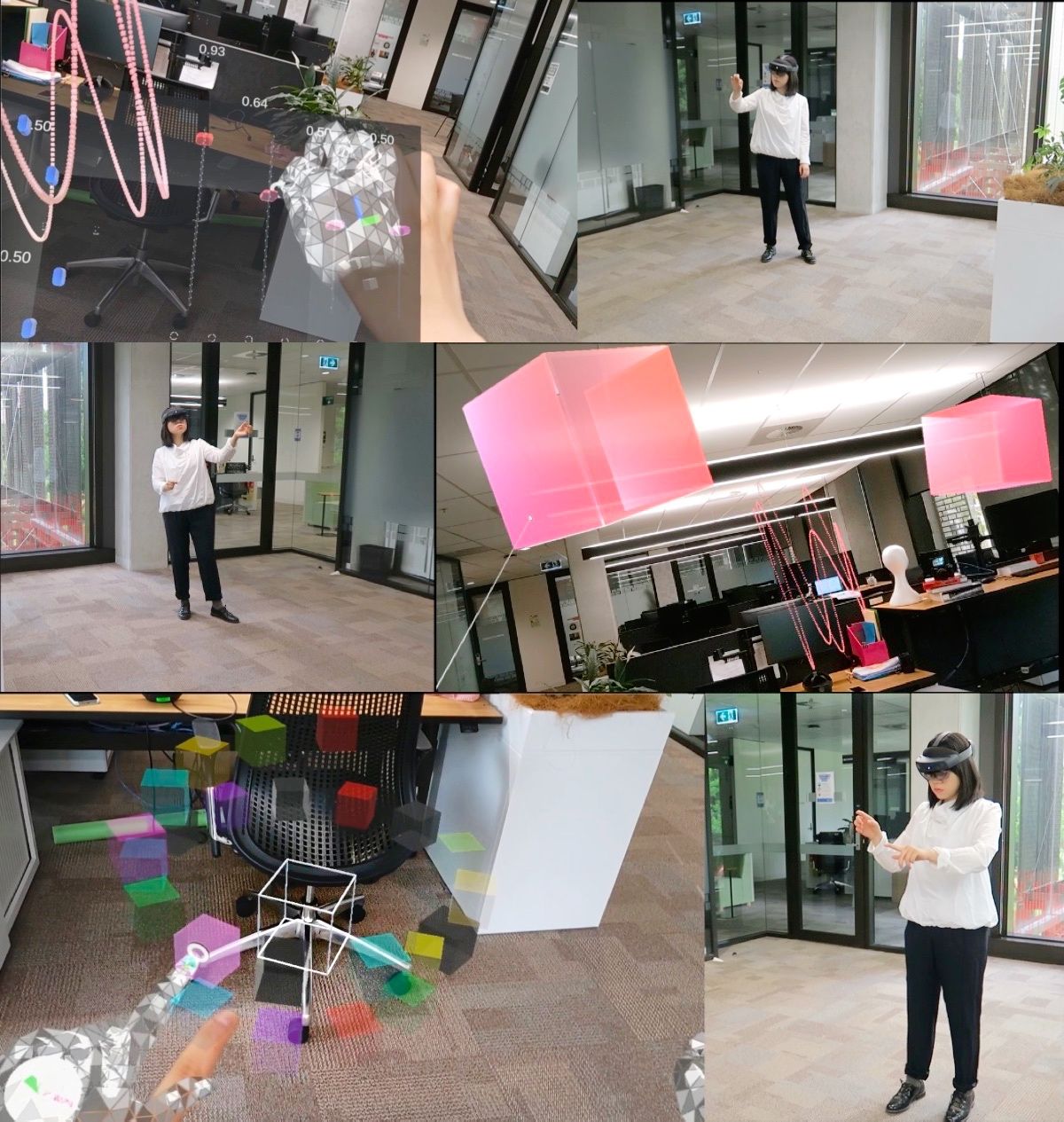
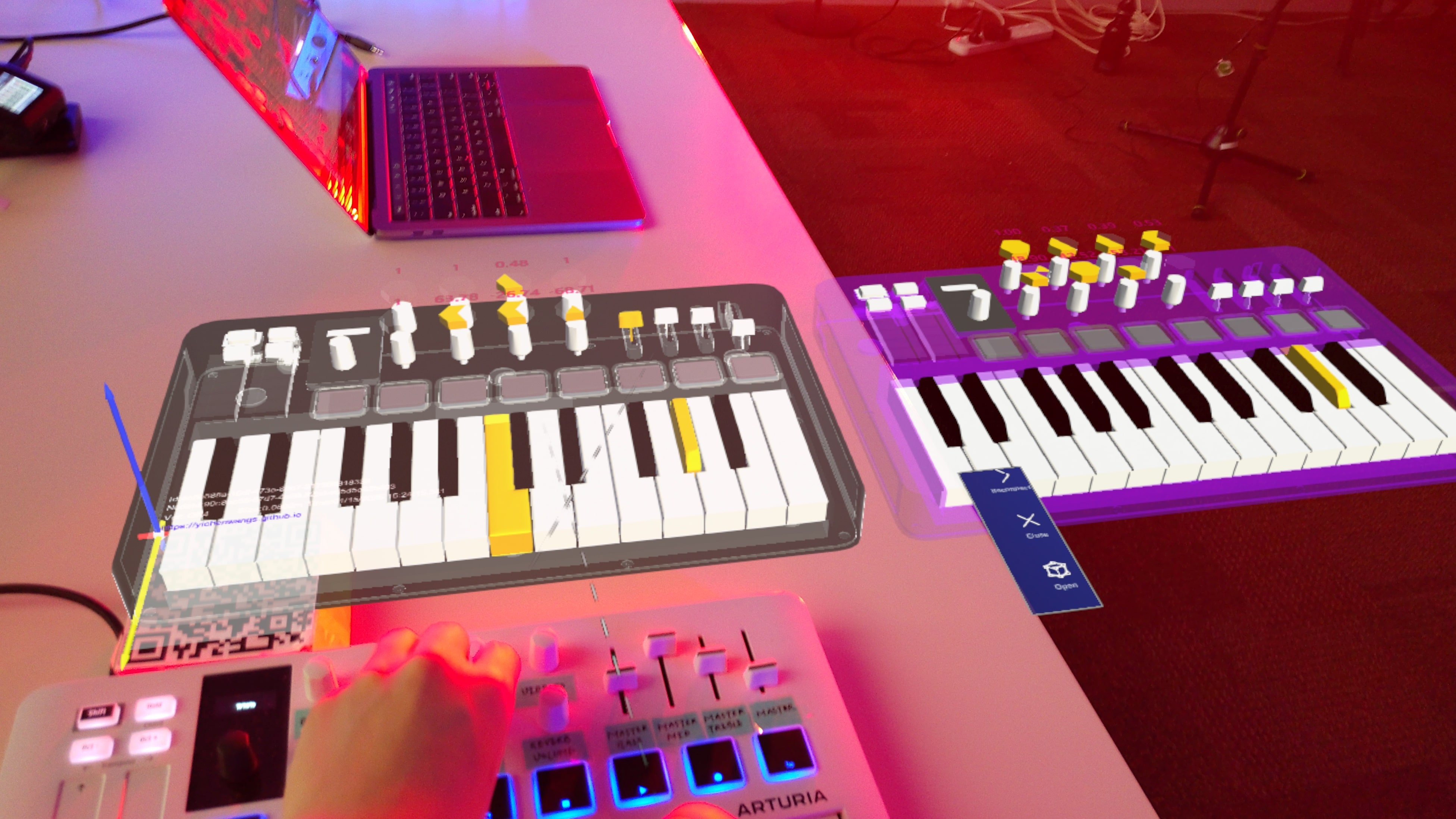
The layout of music controls in AR affects perception (Wang & Martin, 2022)

Memory

  • brain filters what to remember and what to forget to avoid overload – but not always in the way we want to!
  • filtering into memory – depends on encoding process (e.g., active vs passive learning) and context (e.g., seeing someone in a different context)
  • people are better at recognition than recall
  • relying on technology rather than memory (e.g., car navigation system, “let’s ask Claude..”)
  • personal information management
  • remembering passwords and multifactor authentication

Photo by Piotr Miazga on Unsplash

Design Implications for Memory

  • avoid long and complex procedures for carrying out tasks
  • design interfaces for recognition rather than recall (familiar patterns and consistency)
  • provide ways to label digital information for identification
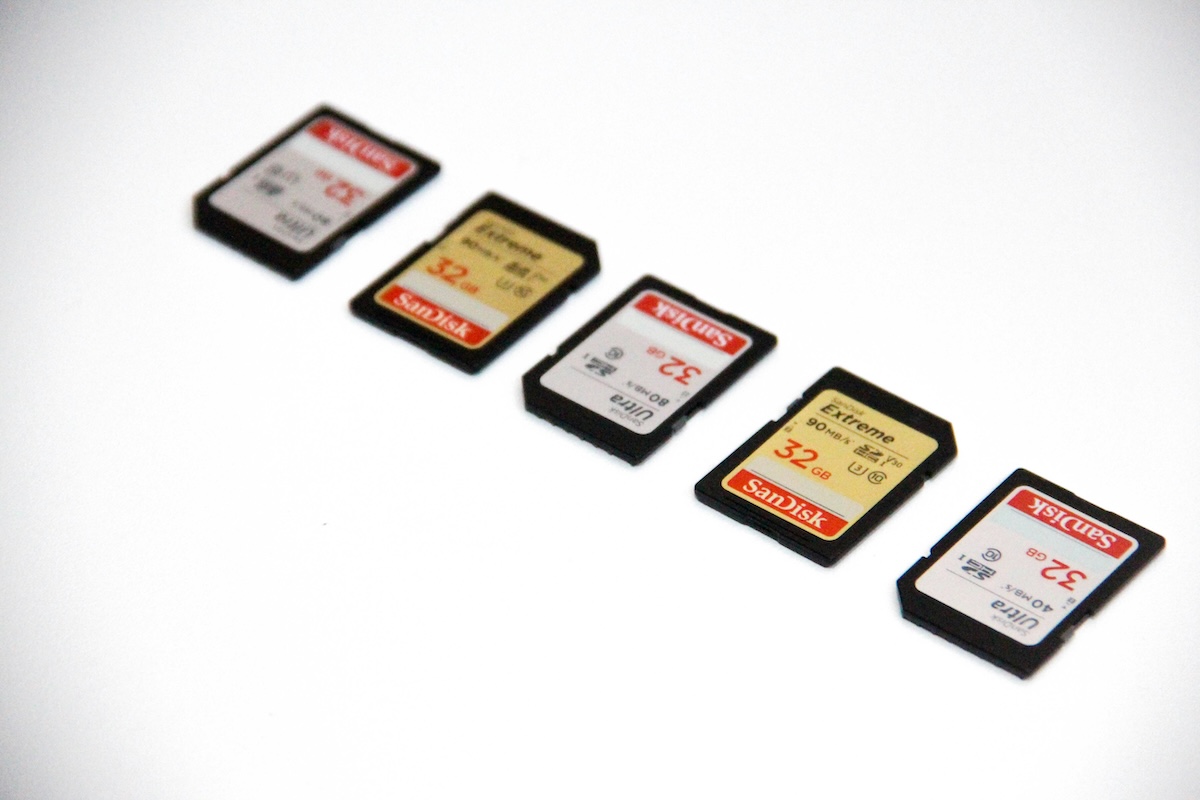
This is a bad pun, but memory cards are hard to recognise! File management systems help us to use recognition rather than recall to sort stored data. (Image: Denise Jans on Unsplash)

Learning

accumulation of skills and knowledge through memory (Rogers et al., 2023, p. 119)

  • incidental learning vs intentional learning
  • learning by reading vs learning by doing
  • learning through collaboration
  • micro-learning
  • multimodal learning through new and emerging technologies e.g., augmented reality and virtual reality
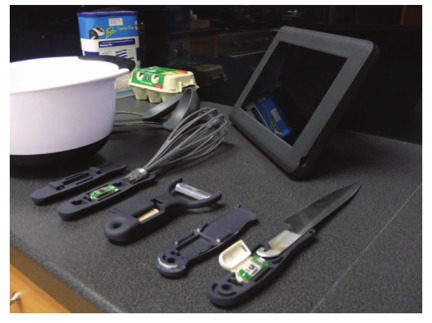
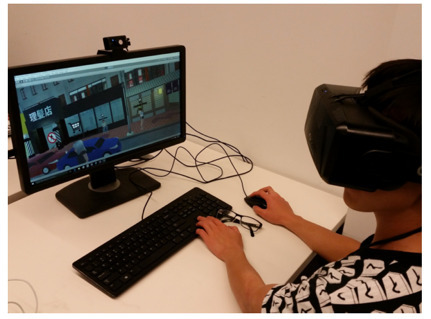
Design Implications for Learning

  • design to encourage exploration
  • design constraints and guide users to appropriate actions

Learning theory concept: “zone of proximal development”—we should get users into that state!

How do we encourage exploration and embed guidance into systems! Games are awesome at this. (Image: Philippe Bout on Unsplash)

Reading, Speaking, Listening

  • communication skills
  • meaning the same across modes
  • writing is permanent, speaking is transient
  • reading quicker than listening
  • listening less cognitive effort than reading
  • some more grammatical than others
  • interactive books, speech technologies, natural language processing, tactile interfaces, assistive technologies

Our experience of the same information changes depending on the context, reading a book, chatting with a friend, listening to a meeting (Image: Chris Montgomery on Unsplash)

Design Implications for Communication

  • keep length of speech menus to minimum (less than 3-4 options)
  • extra intonation on artificial speech
  • provide options for making text large
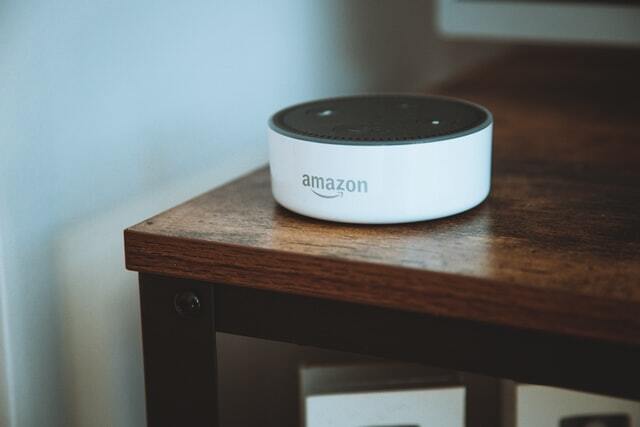
Source: Design Boom
Photo by Nicolas J Leclercq

Problem Solving, Planning, Reasoning, Decision Making

  • Involve “reflective cognition” in relation to actions, choices, consequences
  • How do you make purchasing decisions? What role does technology play?

Design Implications

  • Provide information and help for users to improve their performance.
  • Use simple and memorable functions for rapid decision making.
  • Let users set their own configuration and options.

Cognitive Frameworks

  • Mental models
  • Gulfs of Execution and Evaluation
  • Information Processing
  • Distributed Cognition
  • External Cognition
  • Embodied Interaction

Mental Models

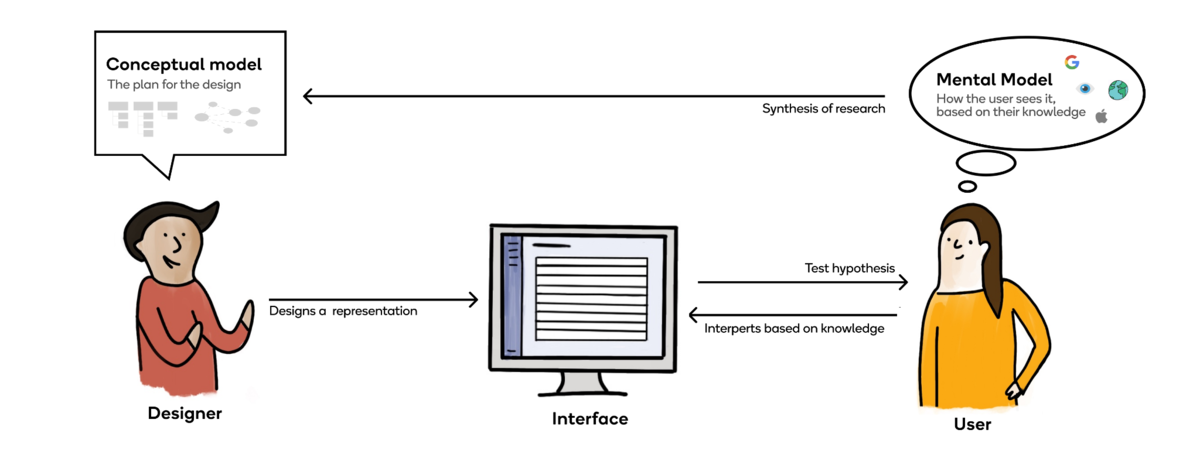
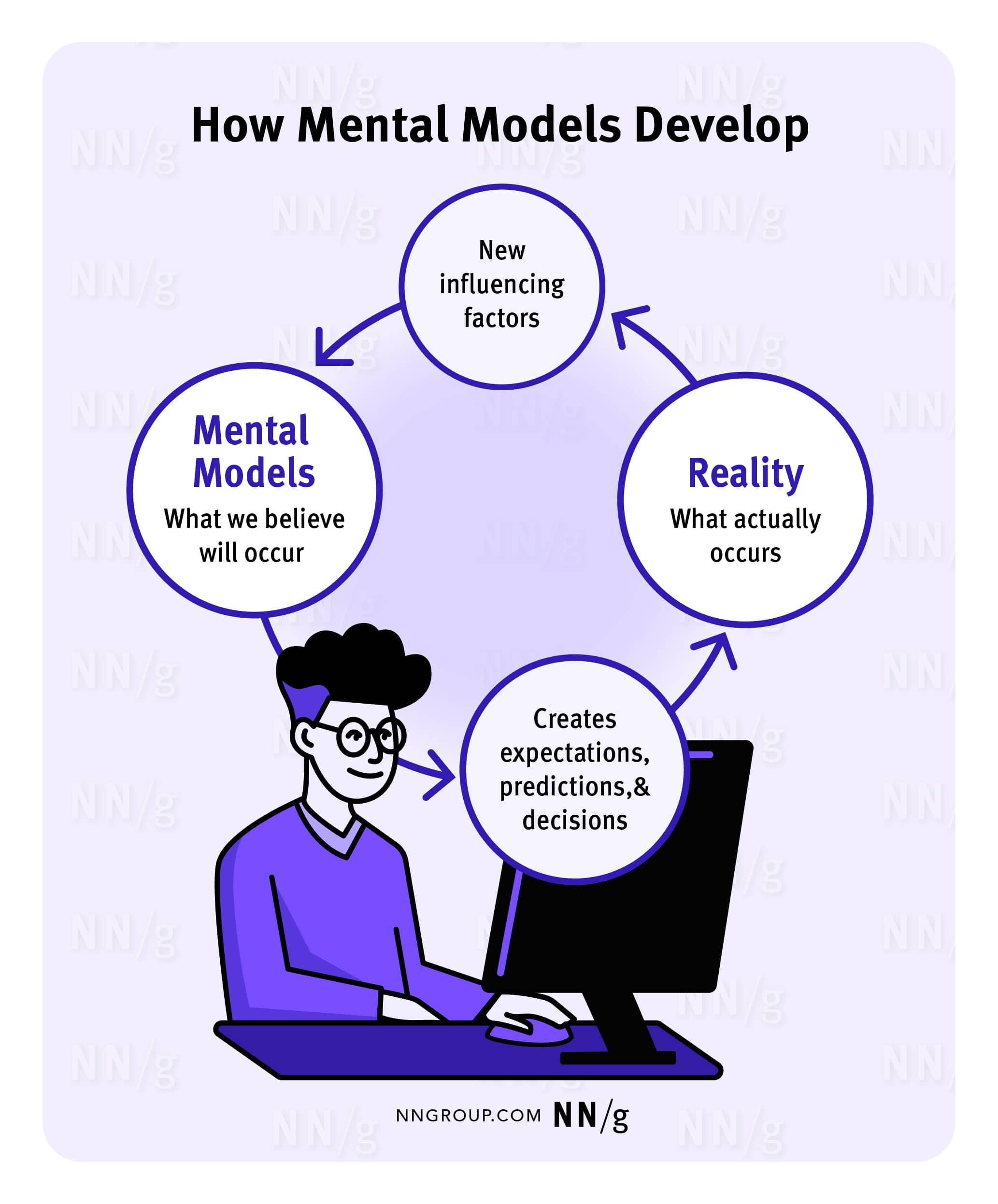
A mental model is our internal understanding of how a system works.

  • used to reason about unfamiliar technology or troubleshoot problems
  • develop through experience; often incomplete or incorrect
  • common errors from misapplying logic of a system: thermostat/oven vs. water tap
  • poor mental models lead to difficulty identifying problems and explaining system behavior
  • interfaces can help through clear instructions, contextual help, and appropriate metaphors
Gulfs of Execution and Evaluation

influential early HCI framework describing gaps between user and interface (D. A. Norman, 1986)

  • gulf of evaluation: understanding state
  • gulf of execution: understanding controls
  • design challenge is bridging these gulfs to reduce cognitive effort
  • framework explores mappings between system design and user understanding
  • provides discourse for identifying mismatches in user-system interaction
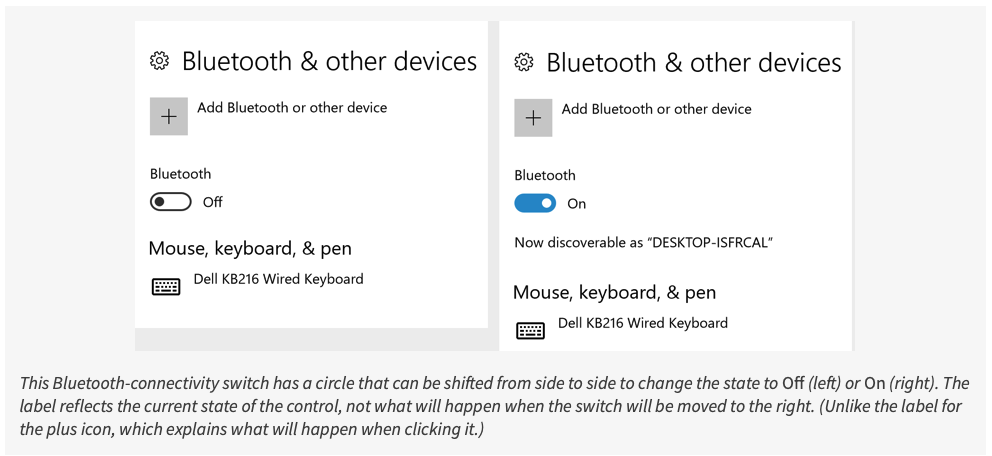
Problem with switches: how do you know what happens when you switch it!

Information Processing

  • Mind as information processor: (1980s metaphor) mind processes information through ordered stages (input, processing, output) involving mental representations like images, models, and rules
  • Human processor model: conceptualized cognition as series of perceptual, cognitive, and motor processors to predict user interaction times with computers (Card et al., 1983)
  • Reaction time predictions: The information processing approach enabled hypotheses about user response times and cognitive bottlenecks when overloaded with information
  • Shift to external cognition: Modern HCI focuses on understanding cognitive activities in context, analyzing how environmental structures support cognition and reduce cognitive load
  • Cognitive load measurement: Mental effort required for learning is assessed through methods like NASA-TLX survey, which measures mental demand, physical demand, temporal demand, performance, effort, and frustration

Distributed Cognition

  • interactions between multiple people and artefacts
  • event-driven, systems as the unit of analysis, collective behaviours
  • information flows and transformations through the system
  • different levels of granularity
  • analysis addresses problem solving, communication (verbal and non-verbal), coordination mechanisms, accessing and sharing knowledge
  • analysis can inform design implications and decision-making in designing to support distributed cognition
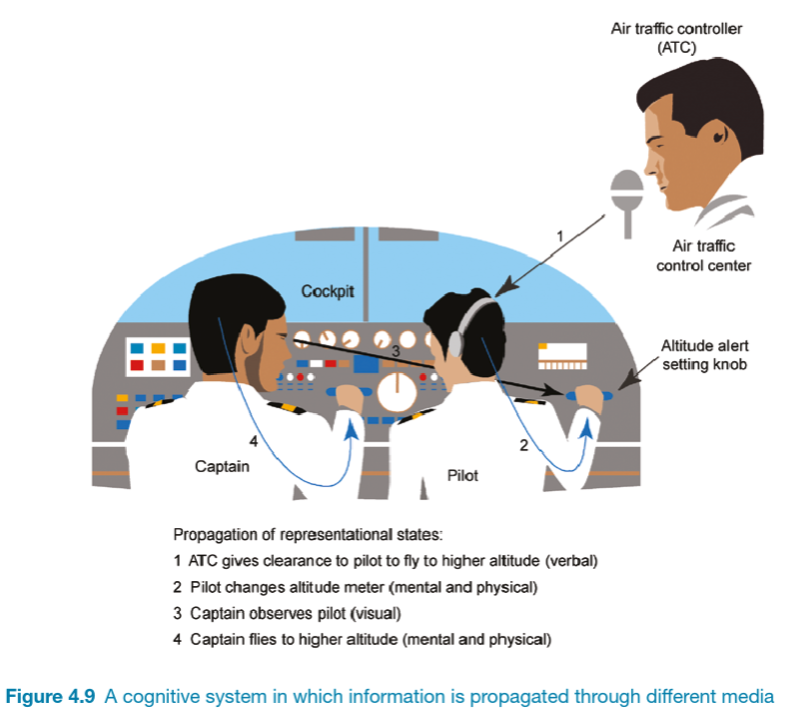
Image: Rogers et al. (2023) p.128

External Cognition

  • internal representations (in the head) and external representations (artefacts in the world) and how they interact
  • combined with tools (e.g., pens, calculators, spreadsheets) to support cognitive activities
  • the cognitive processes involved when we interact with different external representations
  • cognitive offloading, computational offloading, annotating and cognitive tracing
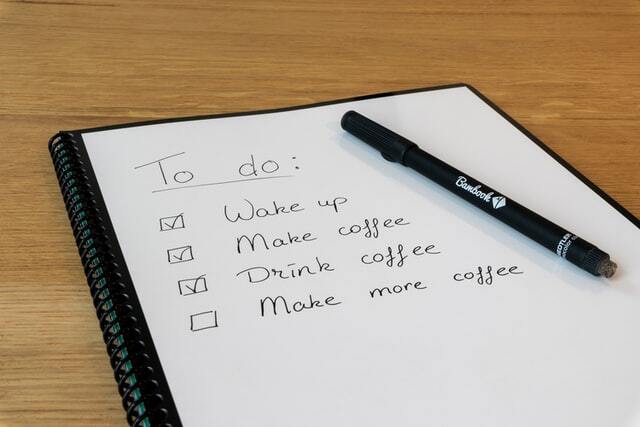
Cognitive Offloading
Computational Offloading
Cognitive Tracing

Embodied Interaction

our bodies and experiences shape how we perceive, feel, and think (Hornecker, 2005)

  • artifacts indicate usage through coupling to the world (e.g., open book as task reminder)
  • sensorimotor experiences enable abstract thinking (inside-outside, up-down concepts)
  • body mediates interactions with technology and shapes emotional responses
  • movement instrumental in thought evolution and spatial thinking development
  • abbreviated actions more effective than full simulation for learning skills

Social Interaction

Activity: Social human computer interactions

Let’s consider one angle on social computer use.

What are the kinds of situations in which you would phone someone (rather than text)?

Write for 2-3 minutes, vote for 1 minute, then let’s discuss.

PollEverywhere link: https://pollev.com/charlesmarti205

Being Social

fundamental part of everyday life; how does technology mediate this?

  • social media transformed how people connect across time and space
  • COVID-19 accelerated videoconferencing adoption (and highlighted limitations)
  • excessive phone use raises wellbeing concerns
  • digital etiquette (muting, virtual hand-raising, emoji reactions)
  • social coordination shifted to texting; added complexity!

Face-to-Face Conversations

conversation may seem effortless but is a skilled collaborative achievement. how do these unfold?

  • turn-taking rules: speaker chooses next, someone else starts, or current speaker continues (Sacks et al., 1978)
  • adjacency pairs: first utterance sets expectation for response
  • repair mechanisms: repetition, gestures, and clarifications
  • nonverbal cues coordinate conversation flow
  • interfaces that emulate human conversational patterns are a long term goal! recent progress with AI.

Conversation is a key human capability that can be used in HCI (Photo by Aarón Blanco Tejedor on Unsplash)

Remote Conversations

  • video conferencing: early research (1980s-90s) showed people spoke louder, took longer turns, interrupted less
  • mainstream adoption via Skype, FaceTime, then Zoom/Teams
  • virtual 2D spaces (e.g., Gather.Town) aim to recreate social presence and community
  • telepresence creates perception of being present in a physical location while actually elsewhere
  • telepresence through robots, rooms, virtual reality, games
  • social presence: the feeling of being there in a virtual space
  • features of interaction design can establish a sense of presence and facilitate remote conversation

Telepresence in music at NIME2025 with a live pianist and two remote musicians (Photo by Charles)

Co-Presence

supporting people in activities when they are interacting in the same physical space

  • supporting effective collaboration
  • hand gestures, body language, use of objects
  • awareness: knowing what is going on around you, functioning as “close-knit teams”
  • shareable interfaces: whiteboards, touch screens
  • social translucence: enabling participants and activities to be visible
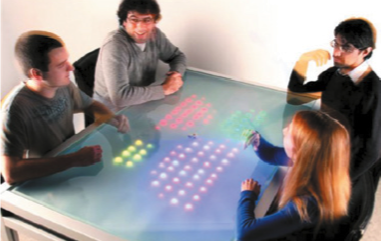
The Reflect Table: Pierre Dillenbourg in Rogers et al. (2023) p.55
musical instrument holograms to aid collaboration (Wang et al., 2025)

Social Games

games designed to facilitate social interaction between two or more players who are aware of each other’s presence and actions

  • can be cooperative or competitive, played with or without technology (board games, video games, online platforms)
  • three heuristics: synchronous vs asynchronous interaction, symmetrical vs asymmetrical relationships, strong vs weak social ties (Ricchetti, 2022)
  • unconventional approaches, e.g. Journey (shared exploration)
  • communities through live streaming (Twitch) foster social bonds

Journey (2011) had an unconventional coop mode with almost no communication possible and little gameplay gain except the feeling of shared experience.

Emotional Interaction

How do our emotions manifest in interaction?

Can designing for emotions help us in our tasks, or help us manage them?

Pepper Robot (Photo by Alex Knight

Emotions and Behaviour

  • emotions affect behavior but relationship is complex and context-dependent
  • emotional interaction design considers what makes users feel happy, sad, anxious or motivated
  • users express emotions through facial expressions, body language and tone of voice
  • automatic emotions happen rapidly while conscious emotions develop slowly
  • interfaces can detect emotional states but decisions needed on appropriate responses

A Model of Emotional Design

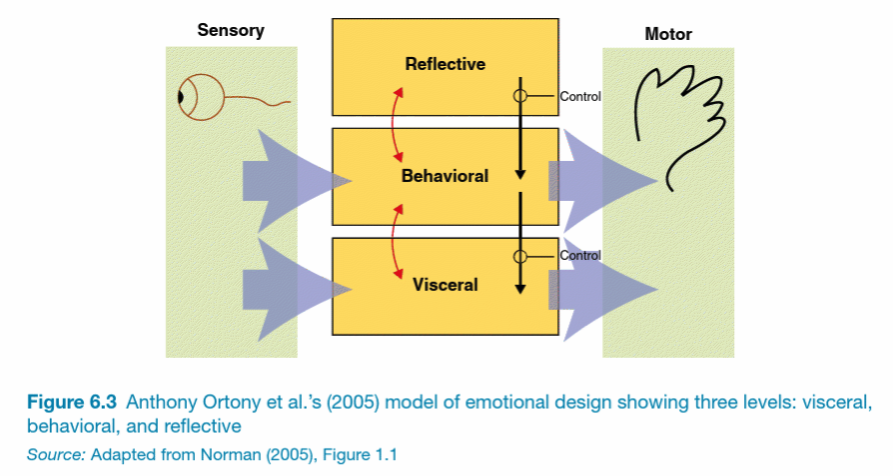
Understanding emotions assists with design. Positive and negative emotional states have different effects on creativity and tolerance (D. Norman, 2005)

Ortony et al. (2012) model of emotional design:

  • visceral: look, feel, sound
  • behavioural: use (usability)
  • reflective: meaning, personal value, culture
Expressive Interfaces and Emotional Design

  • design features that seek to create an emotional connection with users or elicit emotional responses in users
  • expressivity through animation, sonification, vibrotactile feedback (e.g., mobile phone or watch buzzing)
  • aesthetics affects perceptions of usability and pleasure of use
  • annoying interfaces elicit negative responses

Duolingo Reminders
Windows Blue Screen of Death

Affective Computing and Emotional AI

  • computers recognising and expressing emotions (Rosalind Picard: Affective Computing, Engineering Emotion)
  • measuring of feelings using facial expressions, voice, and physiological data
  • sensing technologies: cameras, biosensors, speech analysis, motion capture, accelerometer sensors
  • typical ML task classify emotions (anger, joy, sadness) as percentages from facial markers
  • mood tracking apps: help manage emotions, moods, and mental health
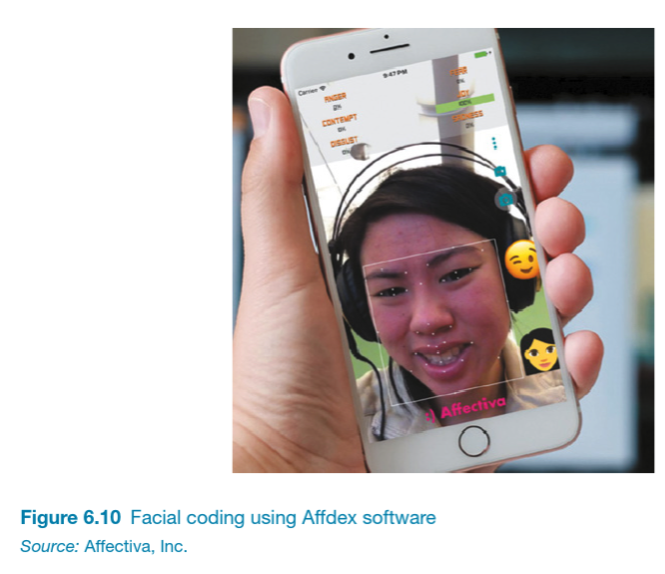
Analysing emotion from a camera image.

Persuasive Technologies

persuasive design uses interface techniques to change user behavior and thinking

  • pop-ups, recommendations, prompts, and one-click purchasing
  • playful interventions (piano stairs, echoing bins)
  • fitness trackers use dashboards, leaderboards, and social comparison for motivation
  • social norms influence consumption - households adjust behavior based on neighborhood comparisons
  • effective persuasion balances being noticeable without being intrusive or overly abstract

The world’s deepest bin (2009) a playful bin that sounds like dropping an rubbish in a deep hole.

Anthropomorphism

anthropomorphism is the human tendency to attribute human qualities to animals and objects, widely applied in technology design

  • applied in software designs, as well as hardware such as robots
  • e.g., “ChatGPT” vs “Claude”.
  • personalized first-person interaction (“Hi Charles!”) proves more engaging than impersonal third-person commands
  • robot dolls incorporate sensors, speech recognition, and servos
  • should robots be hard (Sony AIBO) or soft designs that enhance emotional connection through touch? (e.g., haptic creature, Yohanan & MacLean (2008))

The haptic creature (Yohanan & MacLean, 2011)

Questions: Who has a question?

Who has a question?

  • I can take cathchbox question up until 2:55
  • For after class questions: meet me outside the classroom at the bar (for 30 minutes)
  • Feel free to ask about any aspect of the course
  • Also feel free to ask about any aspect of computing at ANU! I may not be able to help, but I can listen.

Meet you at the bar for questions. 🍸🥤🫖☕️ Unfortunately no drinks served! 🙃

References

Cheng, A., Yang, L., & Andersen, E. (2017). Teaching language and culture with a virtual reality game. Proceedings of the 2017 CHI Conference on Human Factors in Computing Systems, 541–549. https://doi.org/10.1145/3025453.3025857
Eysenck, M. W., & Brysbaert, M. (2023). Fundamentals of cognition (4th ed.). Routledge. https://doi.org/10.4324/9781003384694
Hooper, C. J., Preston, A., Balaam, M., Seedhouse, P., Jackson, D., Pham, C., Ladha, C., Ladha, K., Plötz, T., & Olivier, P. (2012). The french kitchen: Task-based learning in an instrumented kitchen. Proceedings of the 2012 ACM Conference on Ubiquitous Computing, 193–202. https://doi.org/10.1145/2370216.2370246
Hornecker, E. (2005). A design theme for tangible interaction: Embodied facilitation. ECSCW 2005: Proceedings of the Ninth European Conference on Computer-Supported Cooperative Work, 18–22 September 2005, Paris, France, 23–43. https://doi.org/10.1007/1-4020-4023-7_2
Kahneman, D. (2011). Fast and slow thinking. Allen Lane and Penguin Books, New York.
Norman, D. (2005). Emotional design: Why we love (or hate) everyday things. Basic books.
Norman, D. A. (1986). Cognitive engineering. In User centered system design (pp. 31–62). CRC Press.
Ortony, A., Norman, D. A., & Revelle, W. (2012). Affect and proto-affect in effective functioning. In Who needs emotions?: The brain meets the robot. Oxford University Press.
Ricchetti, M. (2022). What really makes social games social? Conference Talk. https://www.gdcvault.com/play/1015724/What-Really-Makes-Social-Games
Rogers, Y., Sharp, H., & Preece, J. (2023). Interaction design: Beyond human-computer interaction, 6th edition. John Wiley & Sons, Inc. https://quicklink.anu.edu.au/kv9b
Sacks, H., Schegloff, E. A., & Jefferson, G. (1978). A simplest systematics for the organization of turn-taking for conversation. Language, 50, 696–735.
Wang, Y., & Martin, C. P. (2022). Cubing Sound: Designing a NIME for Head-mounted Augmented Reality. International Conference on New Interfaces for Musical Expression.
Wang, Y., Xi, M., Adcock, M., & Patrick Martin, C. (2025). Seeing the sound: Supporting musical collaboration with augmented reality. Proceedings of the 2025 Conference on Creativity and Cognition, 99–112. https://doi.org/10.1145/3698061.3726905
Yohanan, S., & MacLean, K. E. (2008). The haptic creature project: Social human-robot interaction through affective touch. Proceedings of the AISB 2008 Symposium on the Reign of Catz & Dogs: The Second AISB Symposium on the Role of Virtual Creatures in a Computerised Society, 1, 7–11.
Yohanan, S., & MacLean, K. E. (2011). Design and assessment of the haptic creature’s affect display. Proceedings of the 6th International Conference on Human-Robot Interaction, 473–480. https://doi.org/10.1145/1957656.1957820