Evaluation
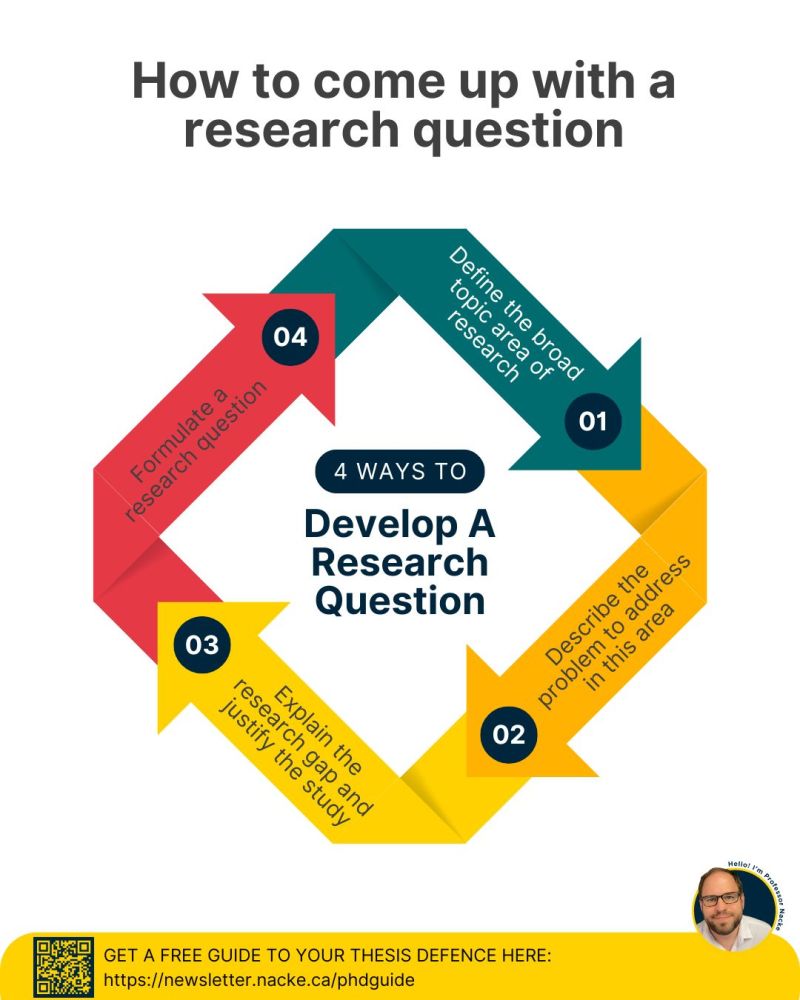
Four steps to write a research question
This framework inspired by Lennart Nacke, everybody’s favourite HCI writing coach on LinkedIn.
- Outline a broad area of interest
- Identify a problem that needs solving
- Justify solving this problem
- Write the question
To be clear, a research question starts with a question word (what, how, why, can, do, should) and ends with a question mark. It can just be one sentence.
Seems too easy… let’s try it together.
Activity: Write a Research Question
Do: Let’s write a research question!
Together, let’s Spin the wheels to decide on a broad area and a problem.
Then, decide on a “justification” and write a research question. Remember that the RQ should include the broad area, the problem, and the justification.
Use the poll everywhere link to suggest research questions and vote on the best ones.
Write for 2-3 minutes, vote for 1 minute, then let’s discuss.
Extension: Before you vote, run the candidates past the three failure modes: is the abstraction right, is a solution smuggled in, and is it refutable?

What is evaluation?
Evaluation: collecting and analysing data from user experiences with an artefact.
Goal: to improve the artefact’s design.
Addresses: functionality, usability, user experience
Appropriate for all different kinds of artefacts and prototypes.
Methods vary according to goals.
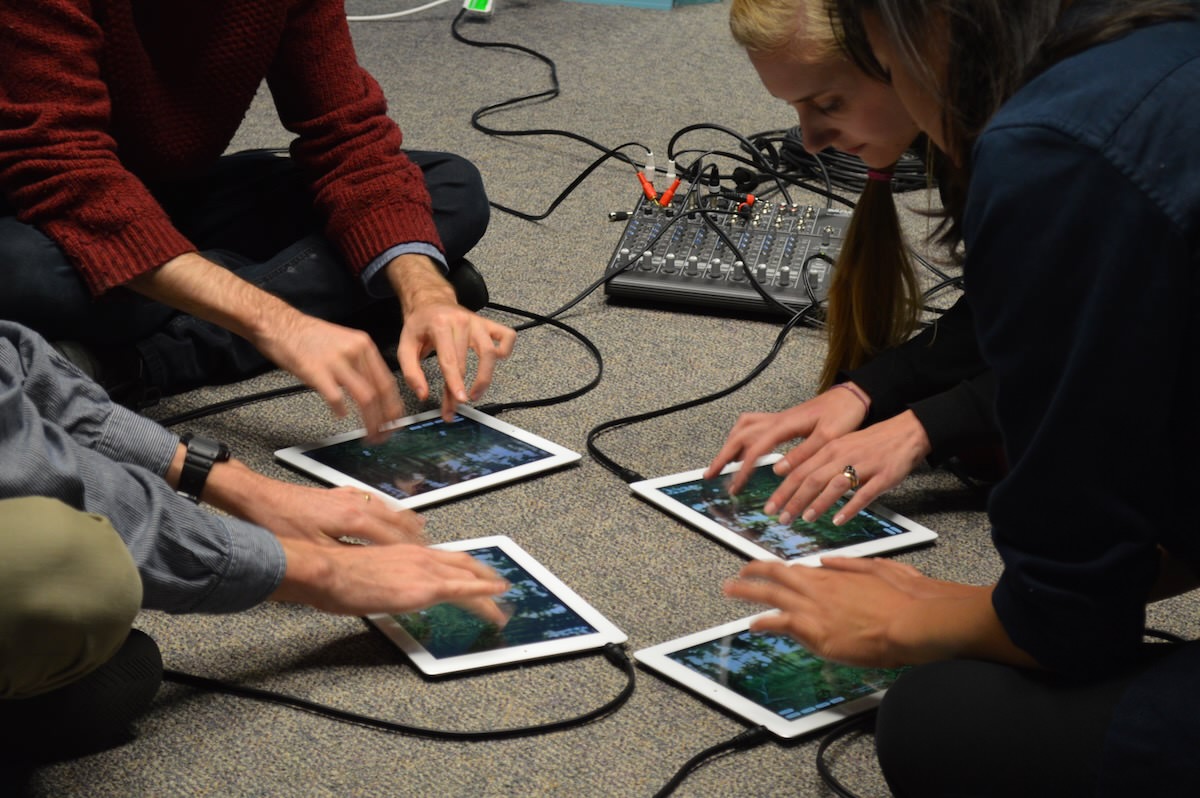
What should you evaluate/measure?
Does the design do what the users need and want?
Examples:
- Game App Developers: Whether young adults find their game fun and engaging compared to other games
- Government authority: Whether their online service is accessible to users with a disability
- Children’s talking toy designers: Whether six-year-olds enjoy the voice, feel of the soft toy, and can use safely
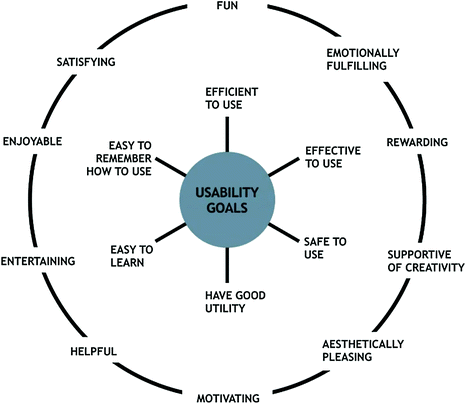
Usability and Usability Goals
Six usability goals:
- Effective to use (effectiveness)
- Efficient to use (efficiency)
- Safe to use (safety)
- Having good utility (utility)
- Easy to learn (learnability)
- Easy to remember how to use (memorability)
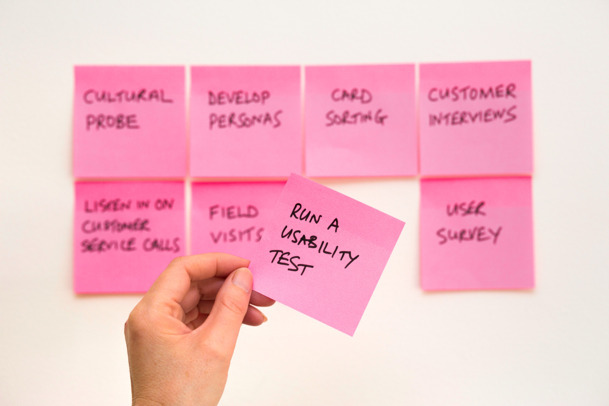
Where should you evaluate your design?
Depends on your evaluation goal!
- Lab studies (controlled settings)
- In-the-wild studies (natural settings)
- Remote studies (online behaviour)

Formative vs Summative Evaluation
Evaluation serves different purposes at different stages of the design process
- Formative evaluation:
- Assessing whether a product continues to meet users’ needs during a design process
- Early or late stages
- Summative evaluation:
- Assessing whether a finished product is successful
- Feeds into an iterative design process

Controlled settings (e.g., Usability testing)

A controlled evaluation setting is not the normal place for using a technology or for the user to be.
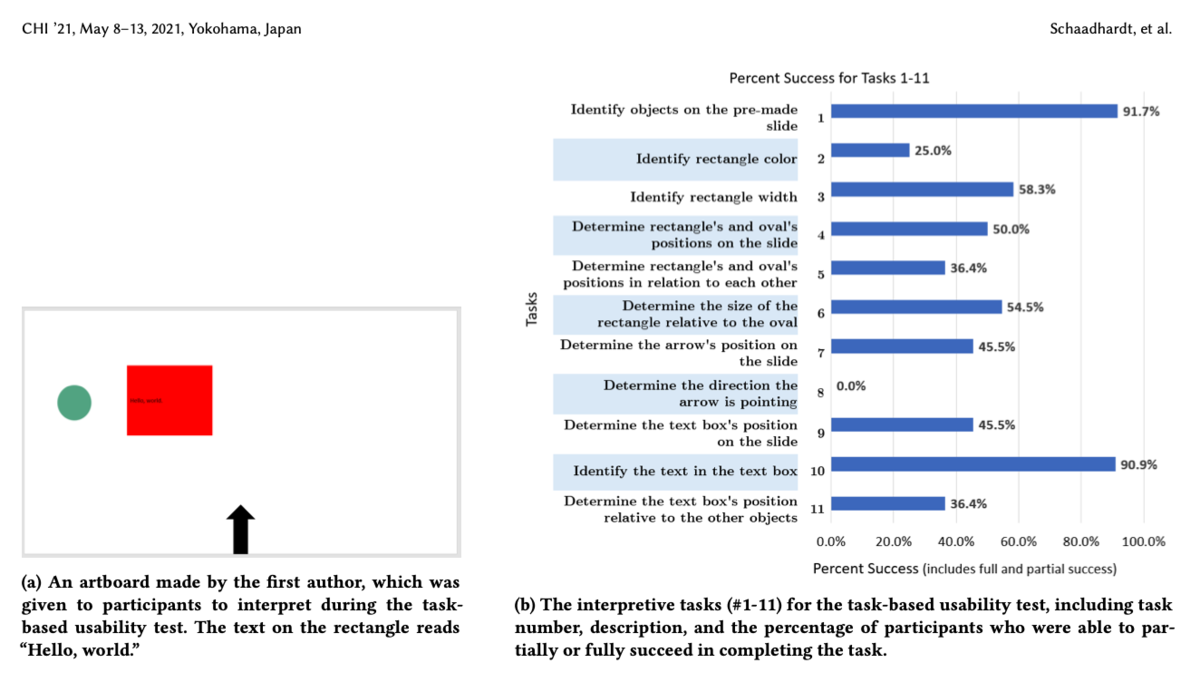
Usability Testing
- Measures: numbers or time (e.g., tasks completed, errors made, time taken)
- Methods: mixture of methods (e.g., think aloud, observation, interviews, questionnaires, data logging and analytics)
- Data: variety of data depending on the methods (e.g., video, audio, facial expressions, key presses, verbal feedback)
- Settings: lab + observation room, mobile usability kit, university classroom
- Number of participants: 5-12 baseline but more is better
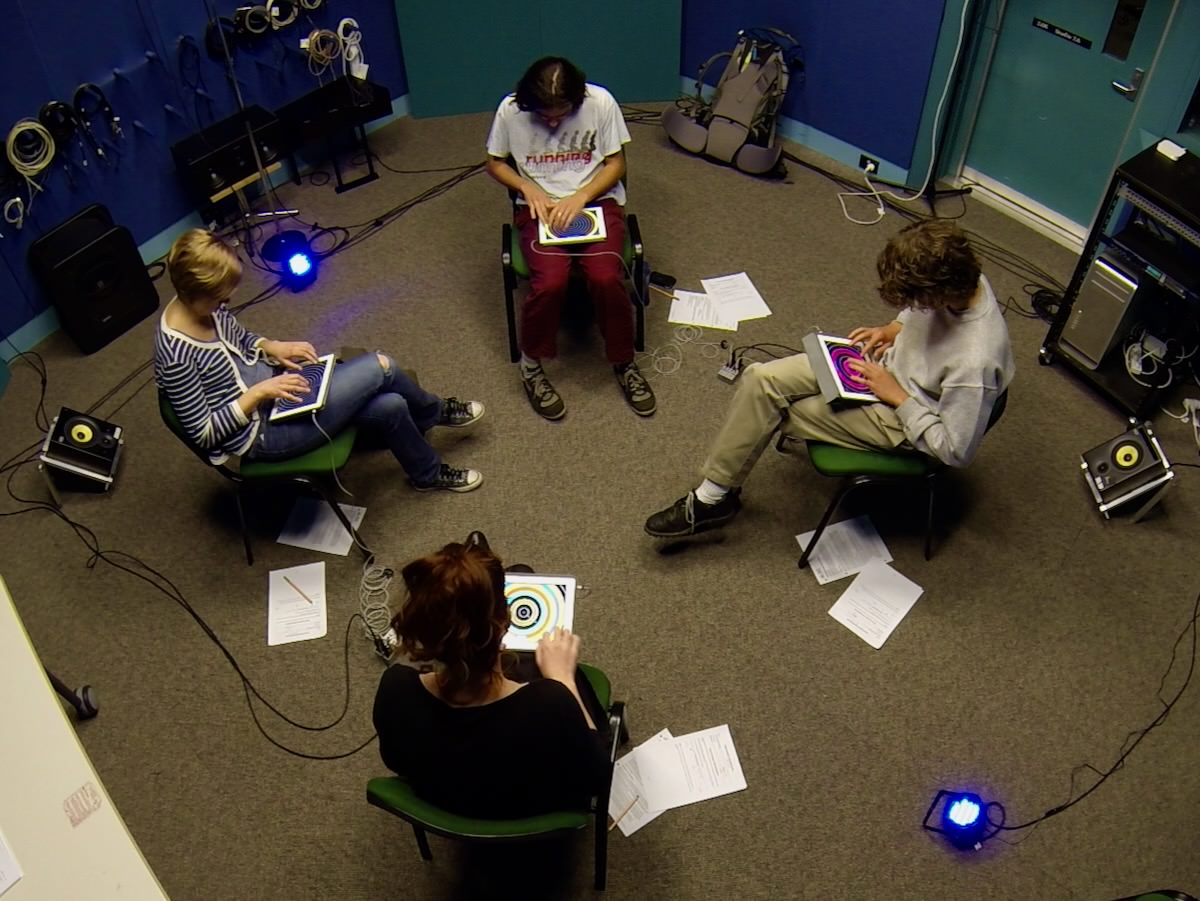
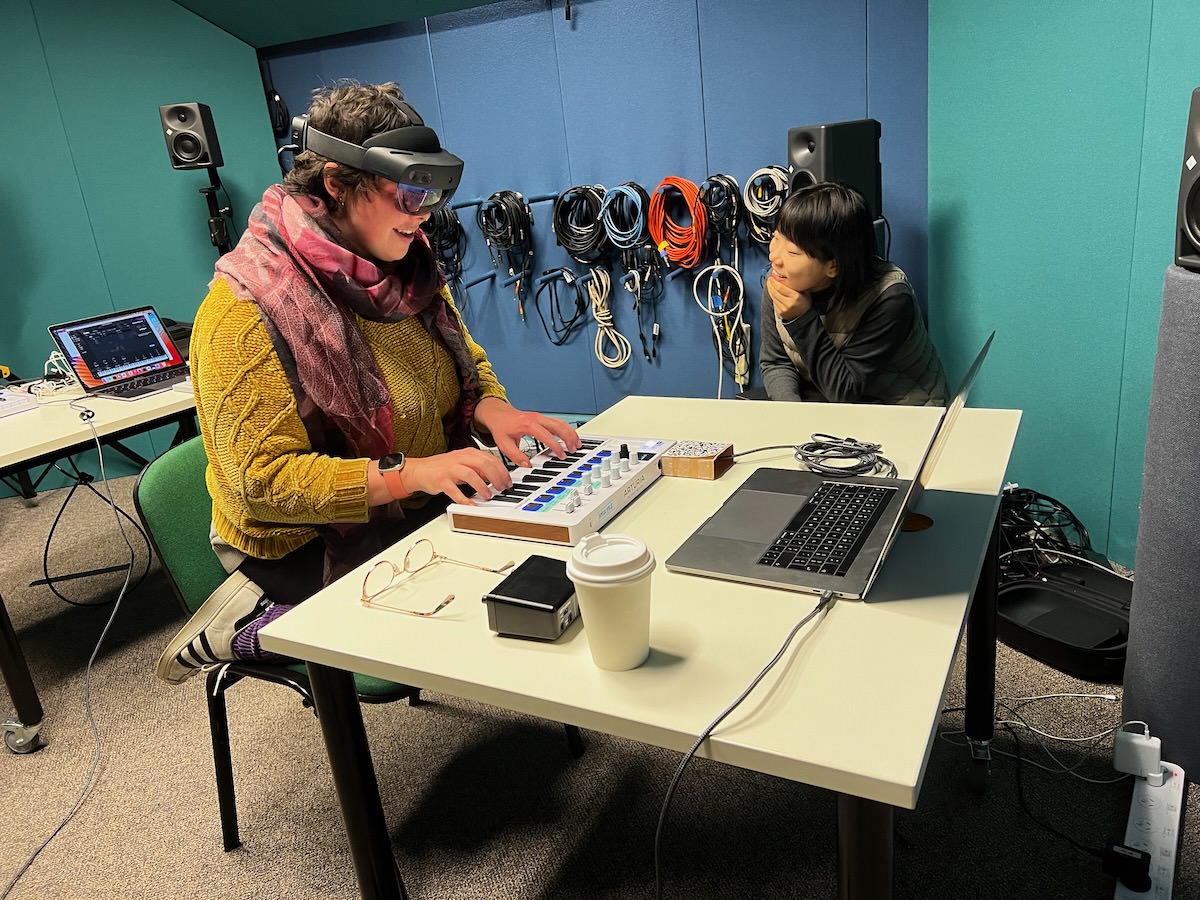
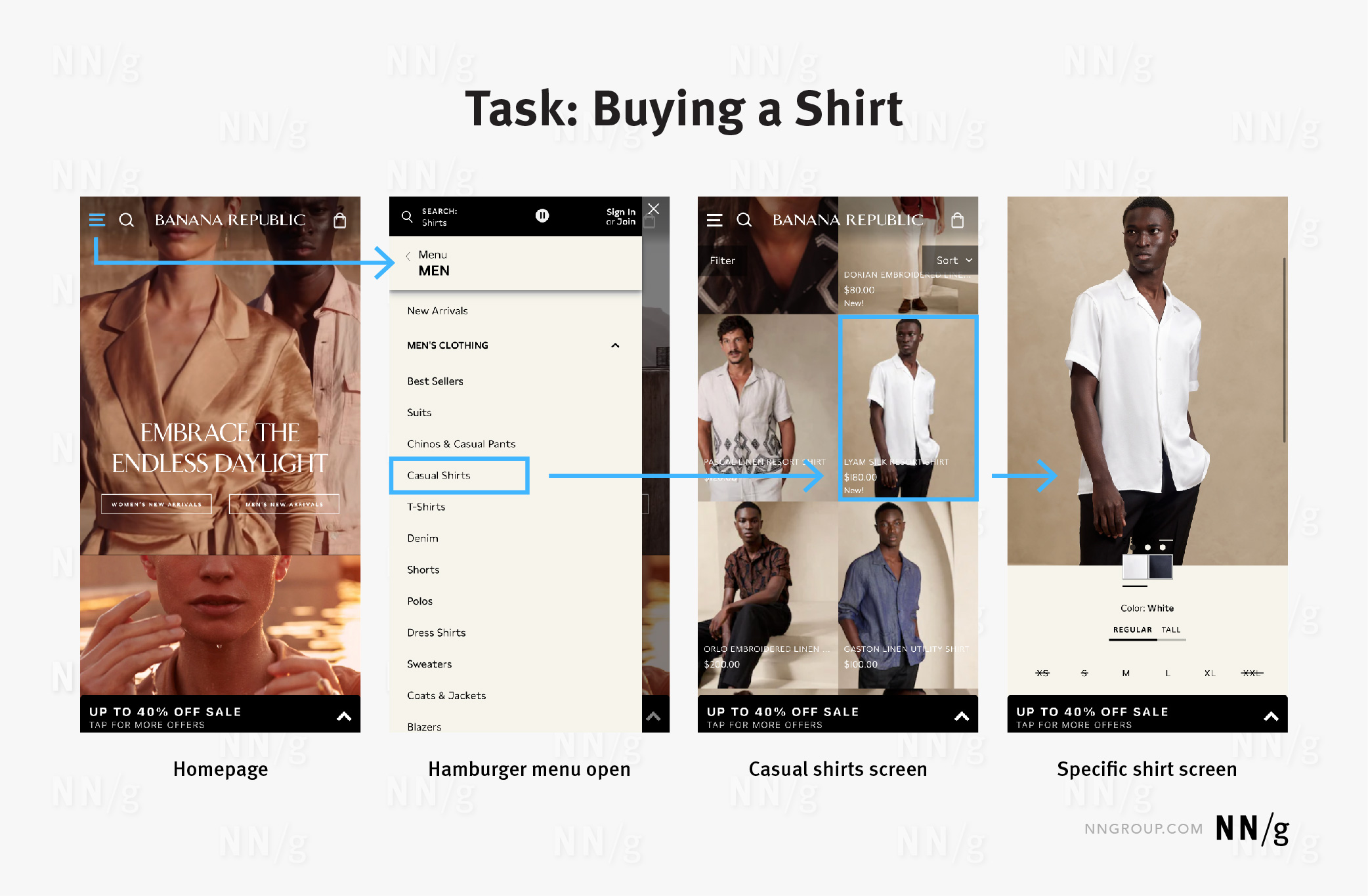
Usability Testing Example
Natural settings (e.g., Field studies)
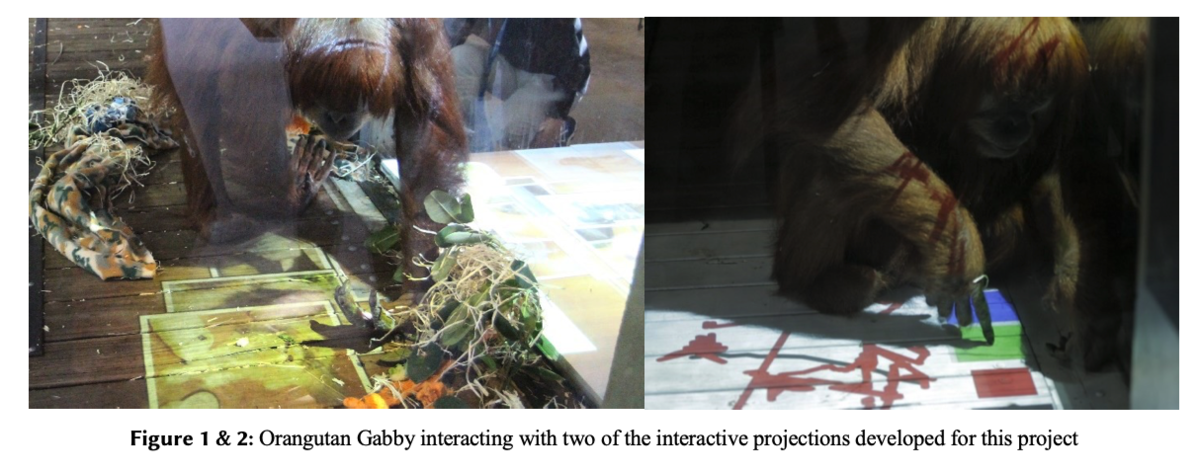
Evaluating a technology or context of use in the normal setting for the user.
Field studies can:
- Help identify opportunities for new technology
- Establish the requirements for a new design
- Facilitate the introduction of technology or inform deployment of existing technology in new contexts
Helps to establish ecological validity.
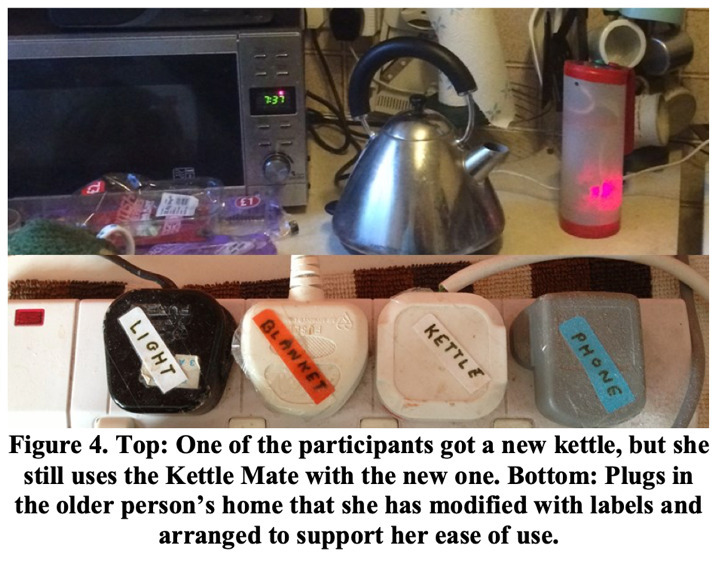
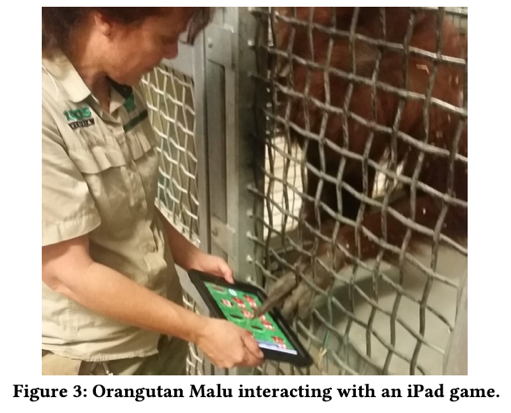
Field Studies Example
Opportunistic Evaluations
- quick feedback about a design idea in the early design process
- confirm whether it’s worth developing an idea into a prototype
- informal and doesn’t require lots of time or resources
- not a replacement for formal evaluation
- care required with ethics in research (Hons, Master, PhD). Asking supervisors and colleagues for advice vs collecting data to establish findings.
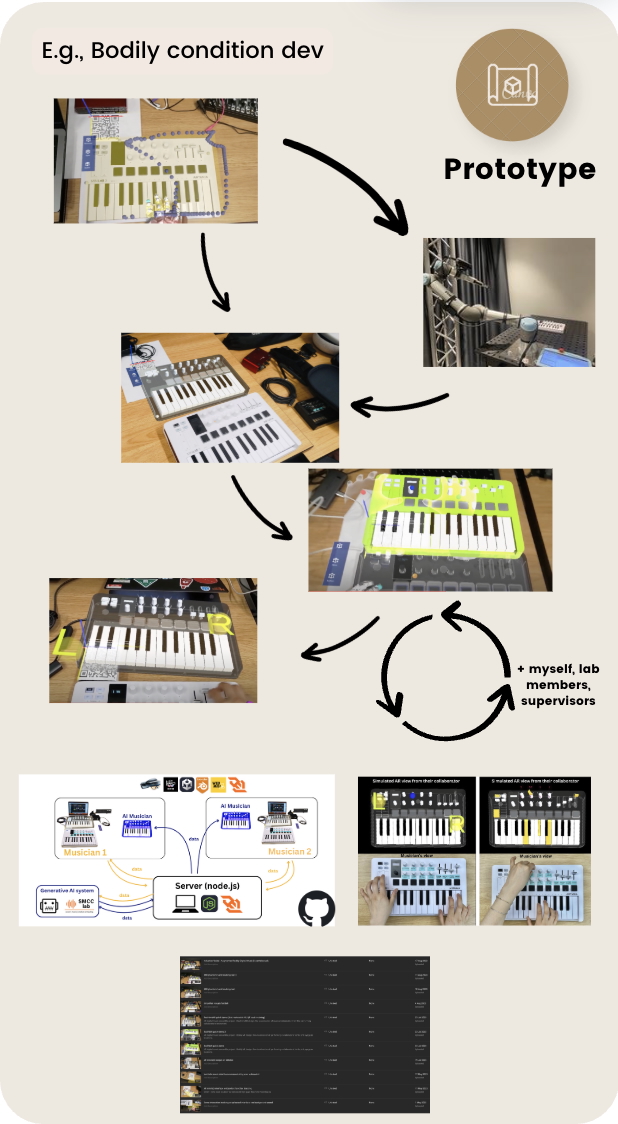
E.g., designers ask colleagues for design feedback: Yichen Wang’s arMIDI system early design process with supervisor and colleagues (Wang et al., 2025).
Which methods to choose from?
The evaluation setting guides certain dimensions of developed artefacts.
- Combinations of methods are used for a richer understanding. E.g., usability testing is combined with observations to identify usability problems and how users use the system.
Pros and Cons
- Controlled settings allow hypotheses testing on specific features for generalised results.
- Uncontrolled settings offer unexpected insights into perception and experience of new technologies in daily life and work.
Activity: Evaluating an interactive toy
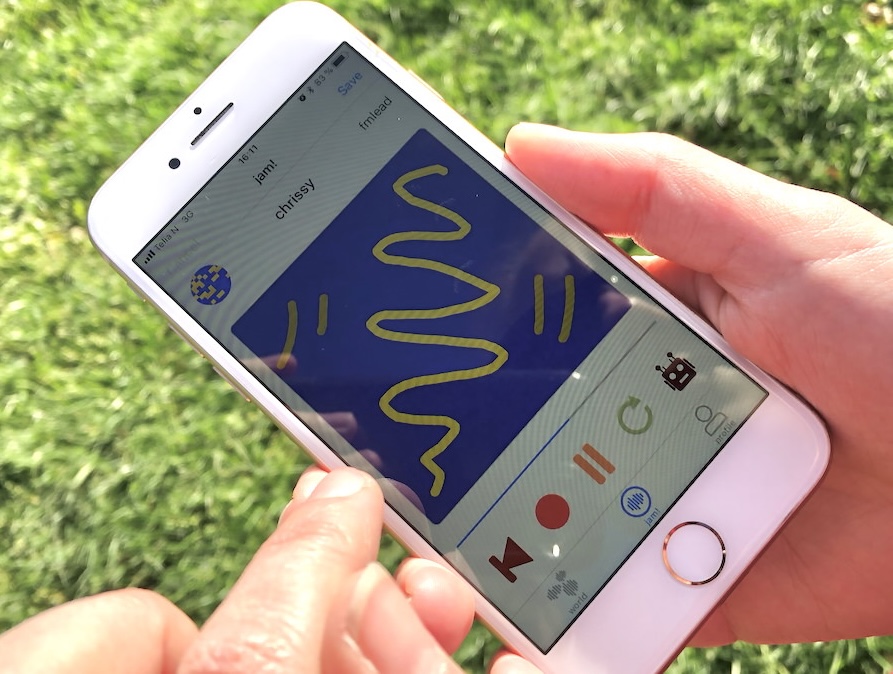
Talk: 🗣️🎤⭐️ You’re all HCI researchers and we need to evaluate this interactive toy.
We need to choose:
- how we will evaluate the toy?
- in what environment?
- what information do we need and why?
- what research questions are being asked?
Talk for 2-3 minutes and then we will hear some answers.

Developing an evaluation plan
- Evaluation Goal/Aims
- Participants
- Setting
- Data to collect
- Methods
- Ethical Considerations and Consent
- Data capture, recording, storage
- Analysis method
- Output(s) of evaluation process
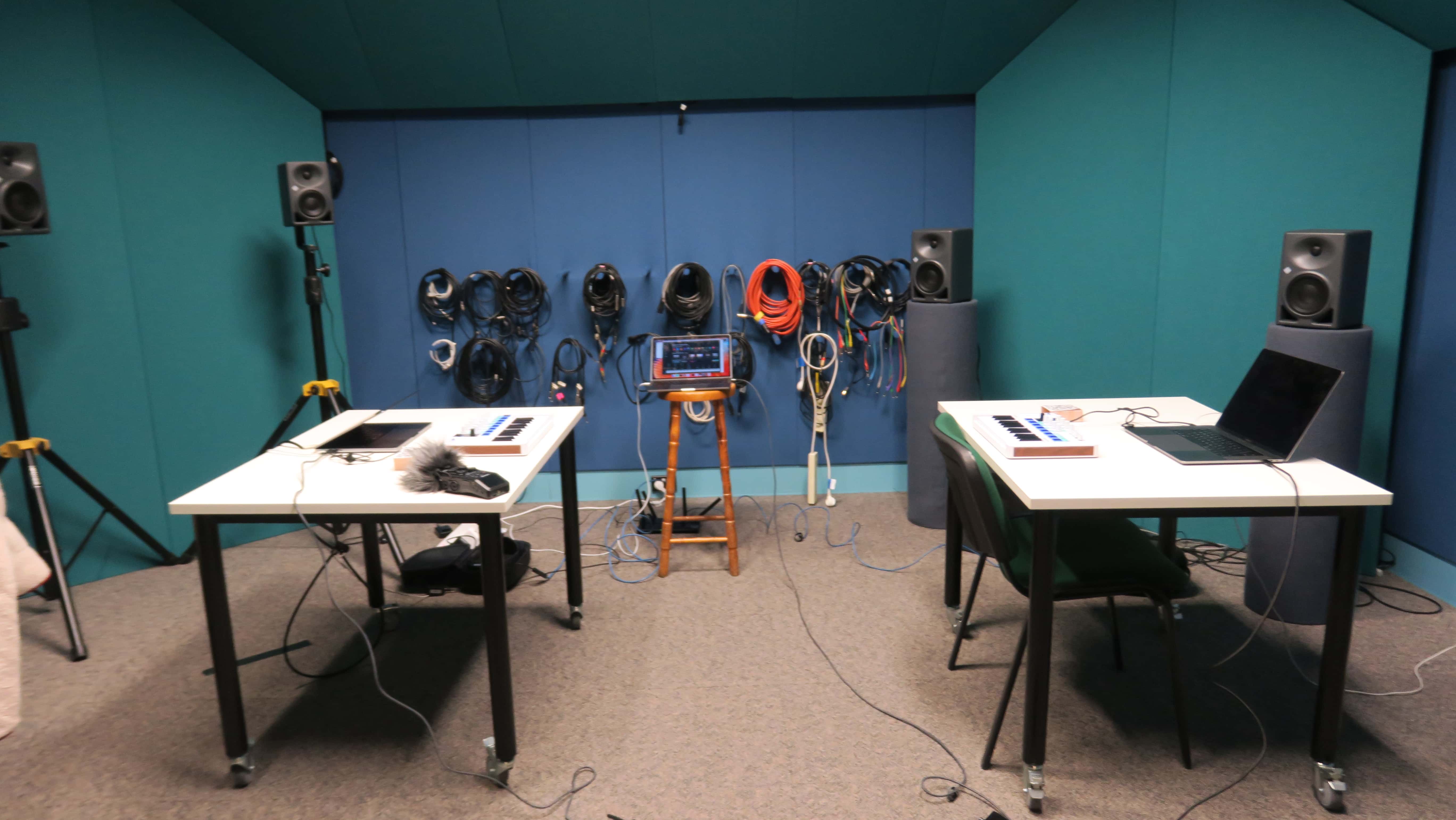
Labs and Equipment
- tables, chairs
- places for participants and researchers
- Instructions to participants
- Details, equipment for completing tasks
- Data collection equipment: video, audio recording
- In-person / Remote
- Zoom (e.g., COVID), online studies
Experimental Variables
- Independent variable: the condition the researcher controls.
- Dependent variable: the outcome we are measuring.
- Independent vars in HCI: different interfaces, input devices, software, colours, computer type
- Dependent vars in HCI: efficiency, accuracy, subjective satisfaction, ease of learning, physical/cognitive demands
Variables shape your study
- Tasks: completing specific tasks, or freely using a technology?
- Interfaces: just using one interface, or comparing two (or more!) different styles

Experiment Design
Which participants test which conditions?
- Different-participant design: each participant sees one condition.
- Same-participant design: everybody sees each condition.
- Matched-participant design: matched groups of participants with a shared trait put into each group
- Balanced Ordering is important to counter learning effects.
- Design choices affects validity and reliability
- Data collection: think back to week 4 lecture, but often includes task performance, completion time, errors, subjective satisfaction etc.

In-the-Wild Studies
- Natural setting, minimal control over participants
- reflecting real-world use unpredictable and complex
- Ethical and practical challenges are greater, e.g., participant consent, privacy, equipment issues, and environmental factors.
Reveal insights about actual use and long-term integration that lab studies often miss.
Evaluation by Inspection
Heuristic Evaluations of User Interfaces (video)
Web Design Heuristics
Budd (2007) introduces further heuristics focussed on web, here’s some from the list:
- Clarity: Make the system as clear, concise and meaningful as possible for the intended audience.
- Minimise unneccessary complexity and cognitive load: Make the system as simple as possible for people to accomplish their tasks.
- Provide context: Interfaces should provide people with a sense of context in time and space
- Promote a pleasurable and positive experience: people should be treated with respect and the design should be aesthetically pleasing and promote a pleasurable and rewarding experience
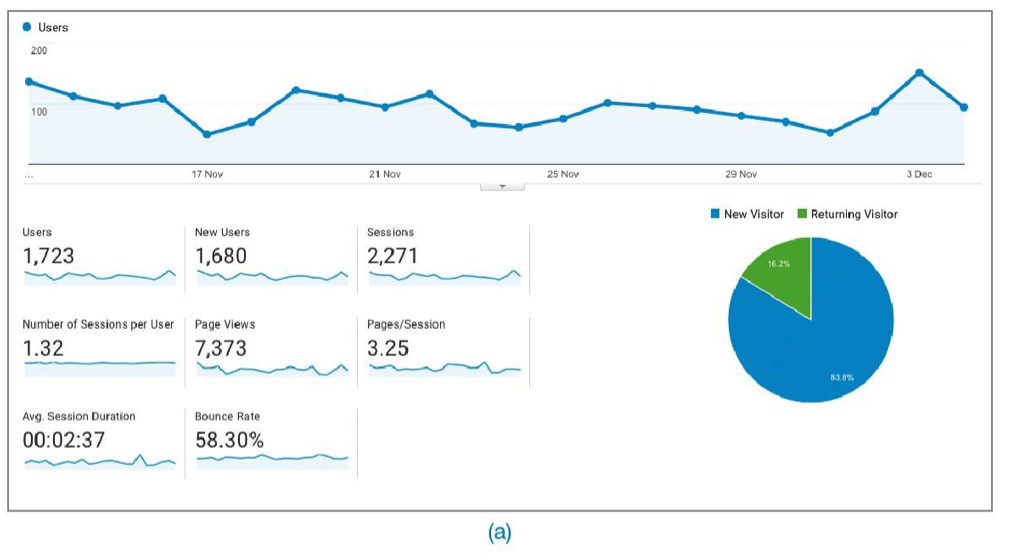
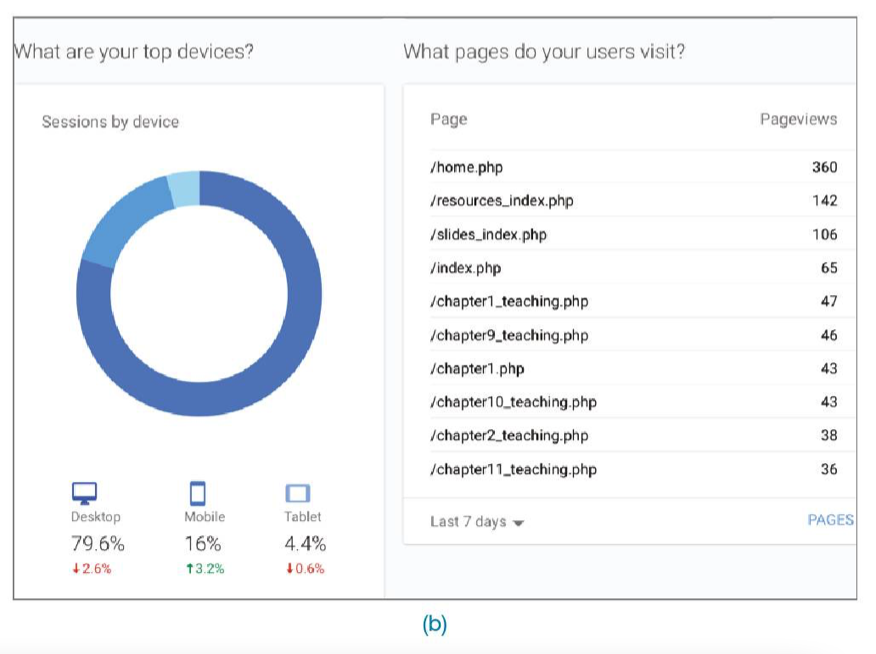
Analytics: Evaluation at Scale
A/B Testing
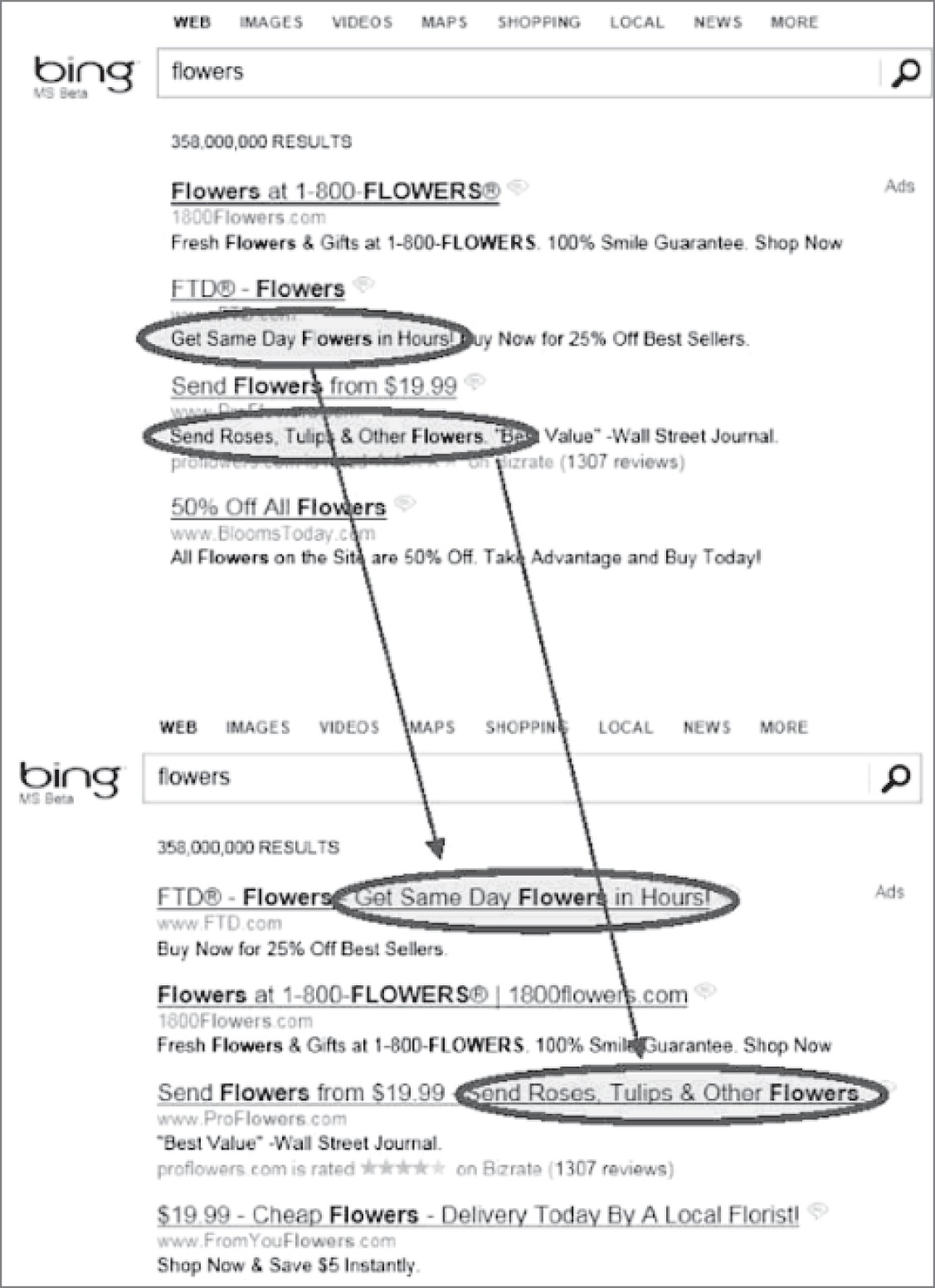
- Large-scale, online controlled experiment used to compare two designs (A = control, B = new design) by measuring user behavior (e.g., click rates), often without users knowing they are part of a study.
- Between-participants design, randomly assigning users to different versions and analyzing outcomes statistically to determine if observed differences are due to the design and not chance.
- Proper setup is critical — running an A/A test first ensures the testing infrastructure is sound, and careful design is needed to avoid misleading results, as shown in real-world examples like Microsoft Office 2007.
Predictive Models
Estimate user performance without needing real users, using formulas to assess task efficiency — useful in early design stages or when testing with users is difficult.
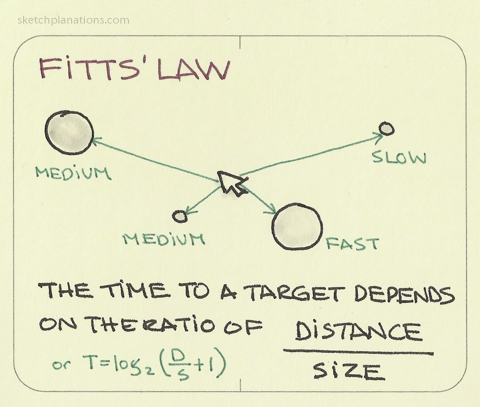
Fitts’ Law (Fitts, 1954):
- predicts how long it takes to point at a target based on its size and distance
- helps designers optimize button placement, size, and spacing on screens and devices.
- applications: input methods (e.g., touch, gaze, tilt), mobile and VR, simulating interactions for users with motor impairments
Evaluation after deployment: adoption, use, and non-use
- Adoption/Appropriation/Design-in-use (Ehn, 2008)
- Technology acceptance (Davis, 1989)
- Non-use (Satchell & Dourish, 2009)
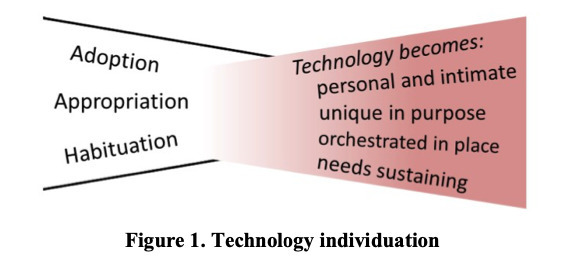
- Technology habitation (Soro et al., 2016)
- Technology individuation (Ambe et al., 2017)
Questions: Who has a question?
Who has a question?
- I can take cathchbox question up until 2:55
- For after class questions: meet me outside the classroom at the bar (for 30 minutes)
- Feel free to ask about any aspect of the course
- Also feel free to ask about any aspect of computing at ANU! I may not be able to help, but I can listen.