## Announcements

- **Assignment 1: Prototyping** is out — due Monday 24 August, 23:59 AEST.
  - fork the template repo and push early: the CI checks your formatting and word count
  - questions on the forum welcome, look in the “assignments” category.
- Today’s lecture (sketching and prototyping) is the practical core of Assignment 1.

## Plan for the class

- Sketch
- Prototype
- Make

## Making

<div class="columns">

<div class="column" width="60%">

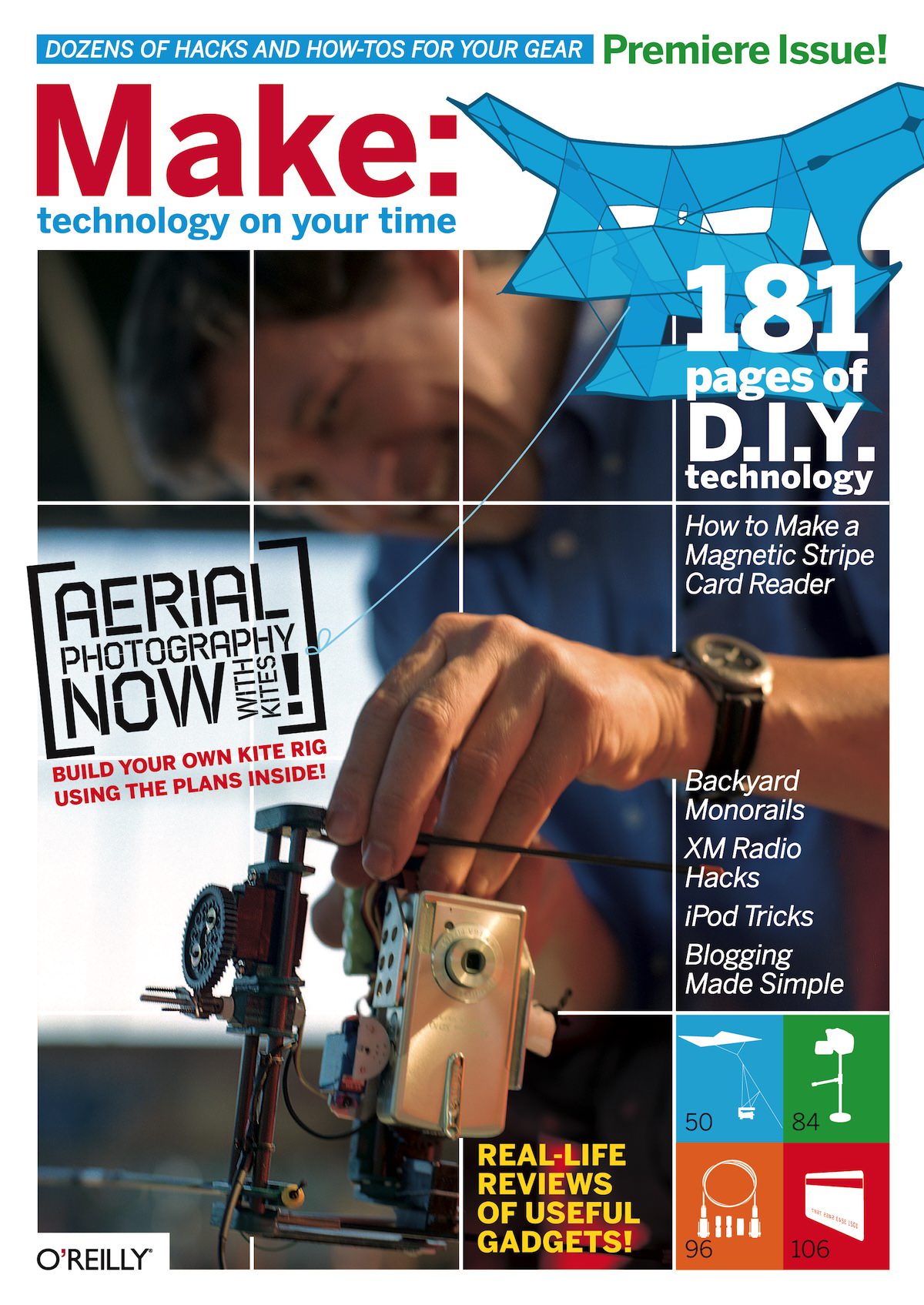
Last week I talked a bit about *identity* in HCI.

The *maker* identity is really relevant to me.

Making things to find out what, whether, how, and why.

Making as research methodology ([Frayling, 1993](#ref-frayling-research-art-design:1993); [Zimmerman et al., 2007](#ref-zimmerman-research-through-design:2007)).

The framing this week around *sketches* and *prototypes* as different things with **rules** may not be something I agree with!

</div>

<div class="column" width="40%">

<figure>
<img src="img/make-magazine.jpg" style="width:60.0%" alt="Make Magazine Issue 1, 2005. (Charles was 2nd year maths/music student at ANU)" />
<figcaption aria-hidden="true">Make Magazine <a href="https://archive.org/details/make-magazine/Make%20Magazine%20-%20Vol%201">Issue 1</a>, 2005. (Charles was 2nd year maths/music student at ANU)</figcaption>
</figure>

</div>

</div>

# Sketching Design Ideas

<div class="columns">

<div class="column" width="60%">

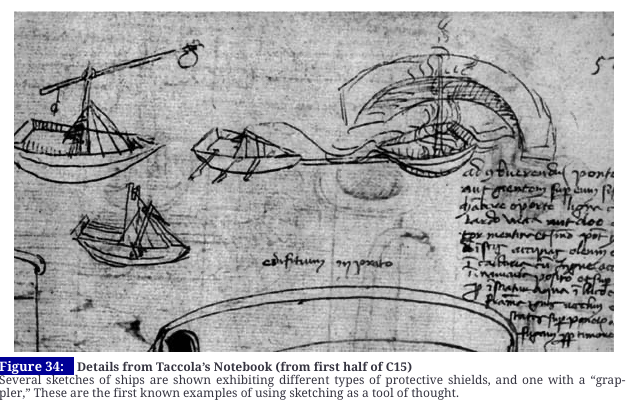
- What is a sketch?
- What makes something a sketch?

</div>

<div class="column" width="40%">

<figure>
<img src="img/prototype_1_sketch.png" alt="(Buxton, 2007, p. 104)" />
<figcaption aria-hidden="true"><span class="citation" data-cites="buxton-sketching:2007">(<a href="#ref-buxton-sketching:2007" role="doc-biblioref">Buxton, 2007, p. 104</a>)</span></figcaption>
</figure>

</div>

</div>

## What is a sketch?

<div class="columns">

<div class="column" width="60%">

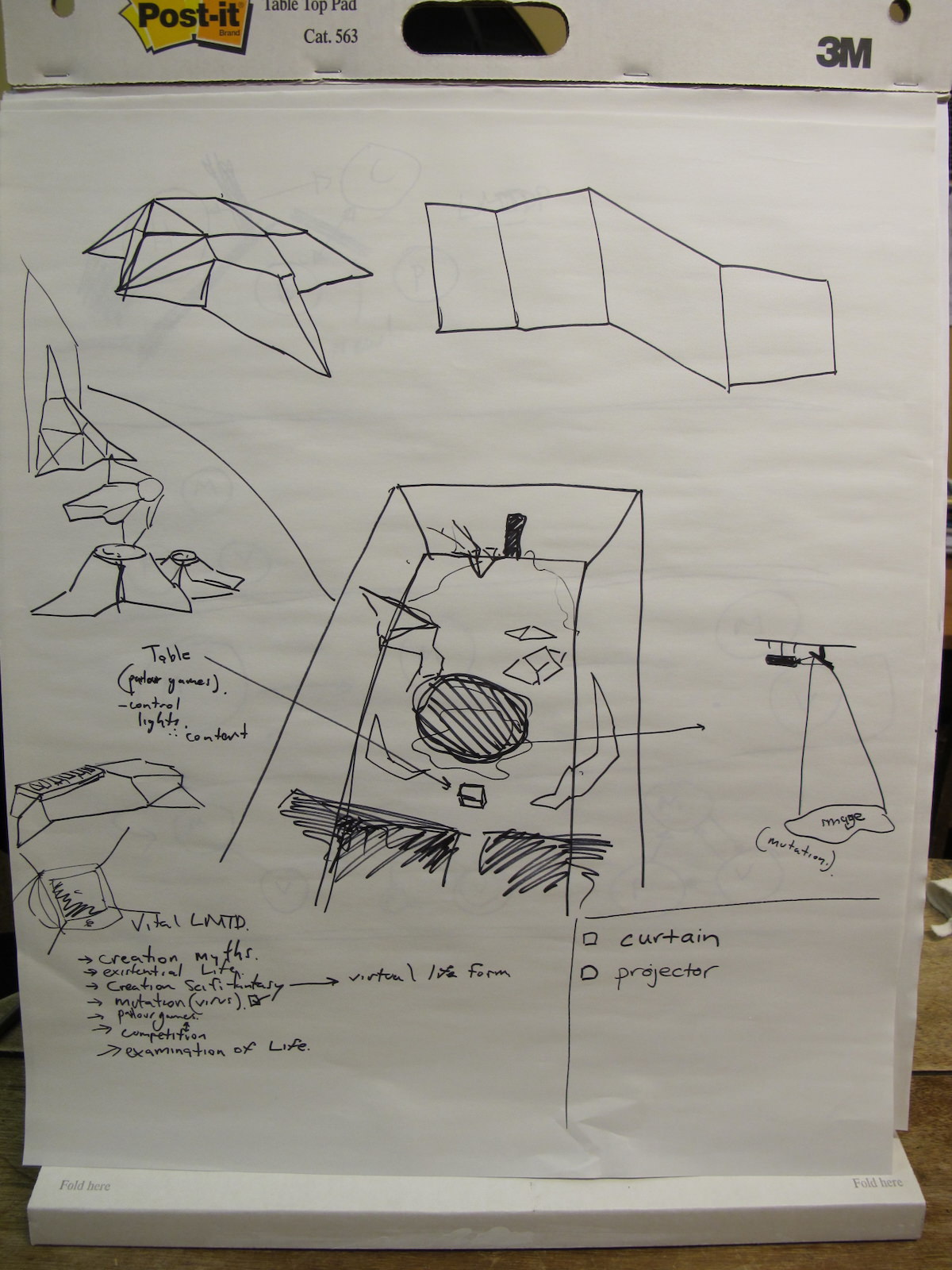
- quick
- timely
- inexpensive
- disposable
- plentiful
- clear vocabulary
- distinct gesture
- minimal detail
- appropriate degree of refinement
- suggest and explore rather than confirm
- **ambiguous**: you can get more out of a sketch than you put in!

([Buxton, 2007, pp. 111–113](#ref-buxton-sketching:2007))

</div>

<div class="column" width="40%">

<figure>
<img src="img/sketch-2010.jpg" style="width:80.0%" alt="Sketching a stage in 2010" />
<figcaption aria-hidden="true">Sketching a stage in 2010</figcaption>
</figure>

</div>

</div>

<!-- 
## What does a sketch do?
&#10;:::::::::::::: {.columns}
::: {.column width="60%"}
- **mind**: (new) knowledge
- **sketch**: representation
:::
::: {.column width="40%"}
&#10;:::
:::::::::::::: -->

## What should a sketch include?

<div class="columns">

<div class="column" width="60%">

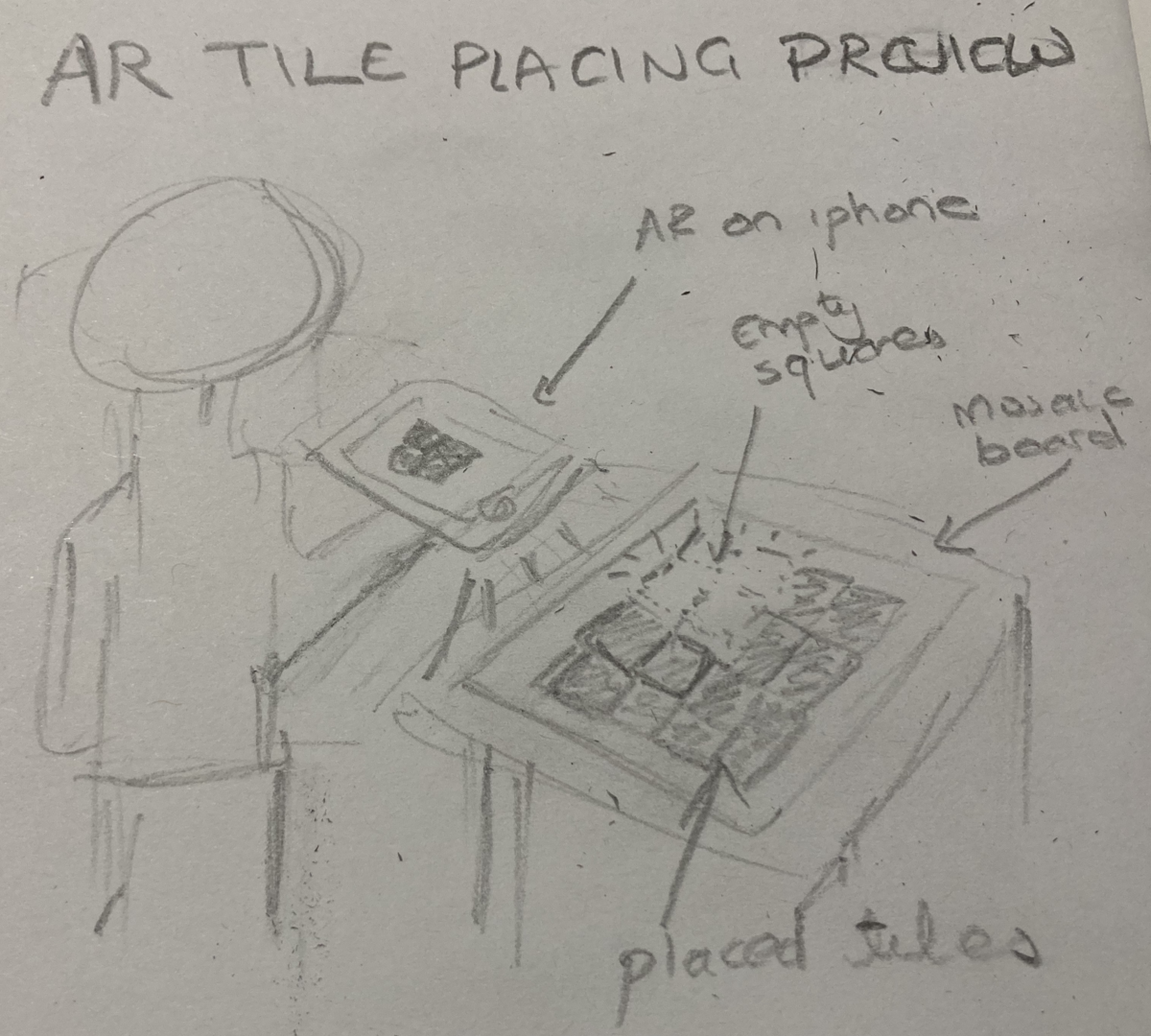
This is up to you, but it could have

- title
- annotations
- short description
- a drawing

> Design Idea: An AR app on a mobile phone that allows mosaic makers to preview tiles before gluing. This can help to choose colours and preview placement and positioning before being fixed.

</div>

<div class="column" width="40%">

<figure>
<img src="img/prototype_2_ar-sketch.png" alt="Sketch of the AR app idea." />
<figcaption aria-hidden="true">Sketch of the AR app idea.</figcaption>
</figure>

</div>

</div>

## Activity: Sketching toolkit?

<div class="columns">

<div class="column" width="60%">

<div class="talk-box">

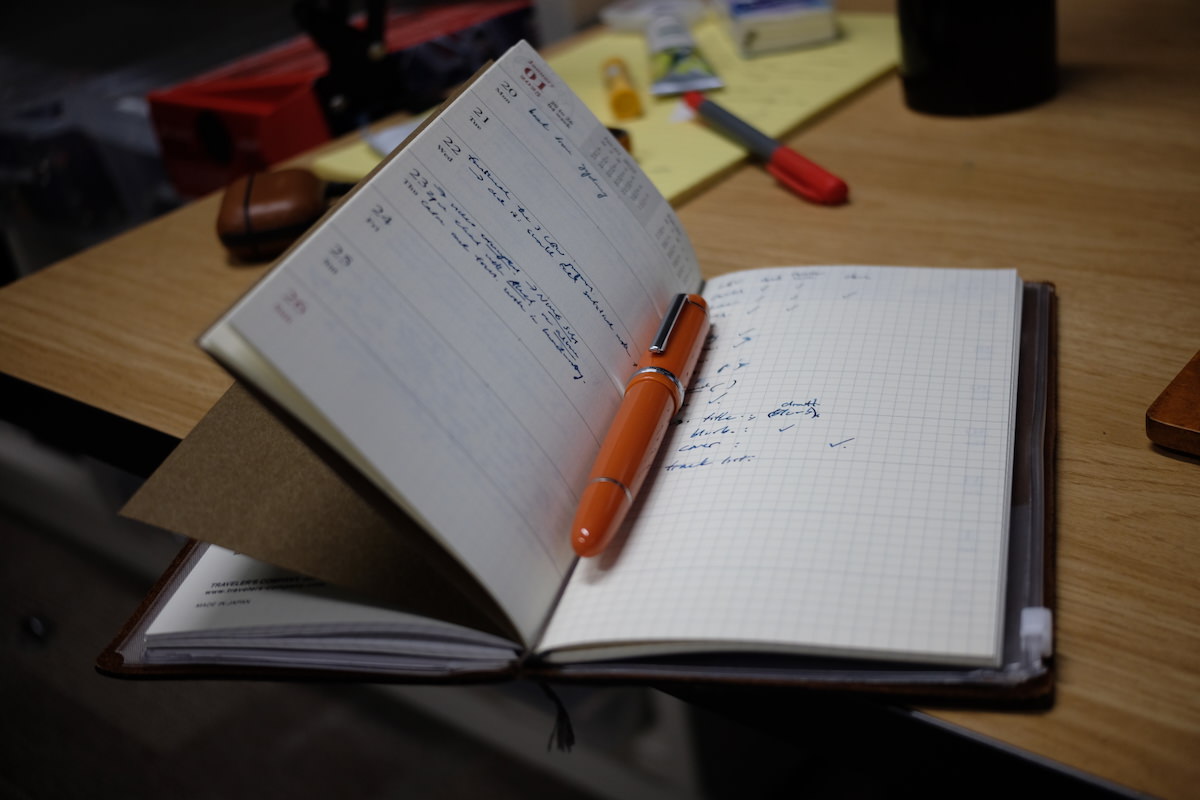
**Talk:** ✏️📓🖊️ What’s your sketching toolkit? How do you develop ideas?

Discuss with someone for 2 minutes then we’ll hear some answers.

</div>

*I give you permission to buy expensive notebooks and pens for this course.*

</div>

<div class="column" width="40%">

<figure>
<img src="img/2025-charles-diary.jpg" alt="Charles’ usual notebook." />
<figcaption aria-hidden="true">Charles’ usual notebook.</figcaption>
</figure>

</div>

</div>

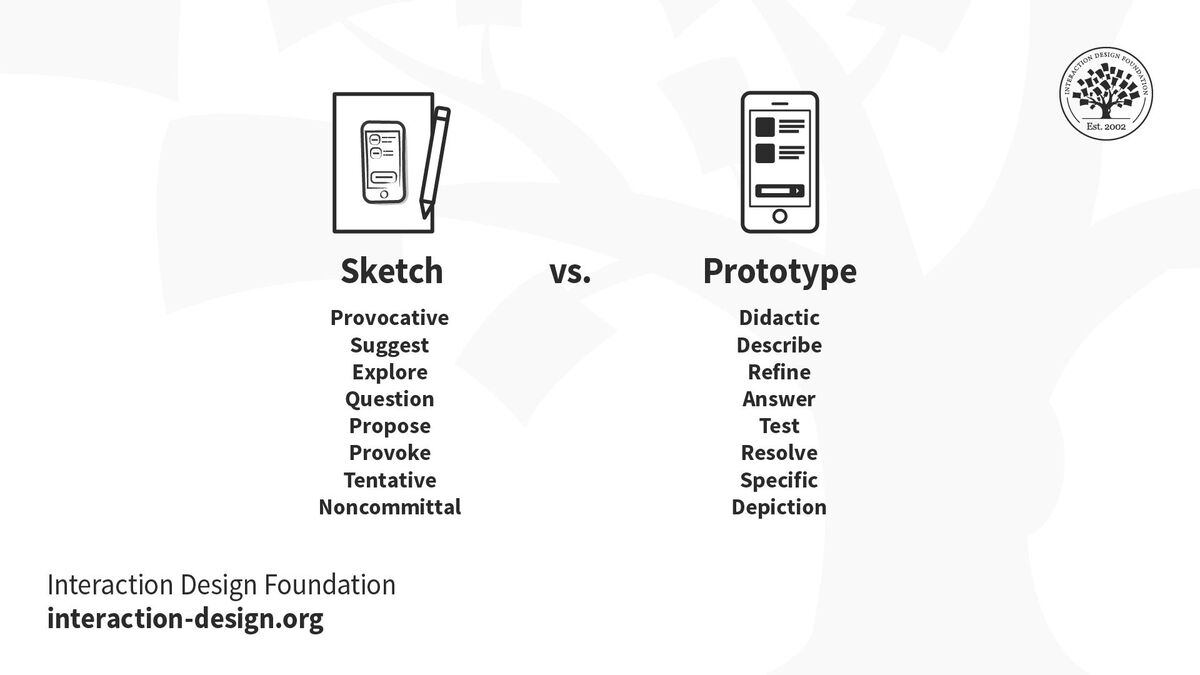
## Is a sketch a prototype?

<div class="columns">

<div class="column" width="40%">

No.

*Why not?*

*Is sketching still relevant when LLMs make implementation cheap?*

Yes! (I argue).

</div>

<div class="column" width="60%">

<figure>
<img src="img/06_ideation_9.jpg" alt="Sketching in interaction design" />
<figcaption aria-hidden="true"><a href="https://www.interaction-design.org/literature/article/etch-a-sketch-how-to-use-sketching-in-user-experience-design">Sketching in interaction design</a></figcaption>
</figure>

</div>

</div>

<!-- ## How to Choose your Best Ideas
&#10;![[What makes a good design idea?](https://www.youtube.com/watch?v=FWIJosey8nI)
](img/06_ideation_10.png)
&#10;## Ten Principles of Good Design
&#10;![[Dieter Rams (Video and Webpage)](https://www.interaction-design.org/literature/topics/good-design)](img/06_ideation_11.jpg) -->

<!-- ## How to choose your Best Ideas
&#10;- High-Fidelity Prototype – Design Idea EXCEPTIONAL
- Design idea is original, creative, and interesting.
- Connection to design opportunities identified in project 2 is clear and compelling.
- Design could be seamlessly used in the chosen activity in ways that enrich the making practice. -->

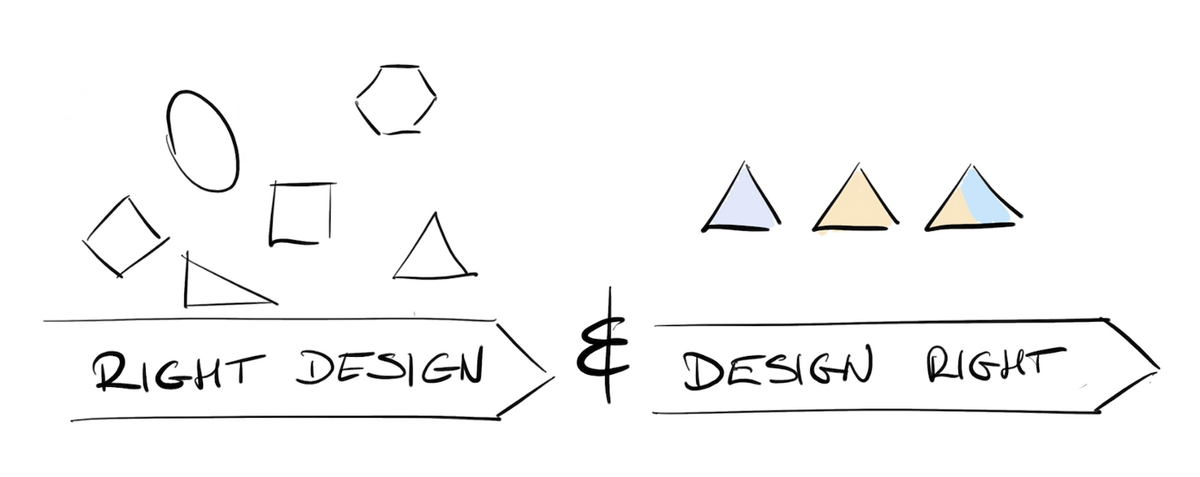
## Getting the Right Design vs Getting the Design Right

<figure>
<img src="img/06_ideation_12.png" alt="Image source: Getting the right design and the design right (uxdesign.cc)" />
<figcaption aria-hidden="true">Image source: <a href="https://uxdesign.cc/getting-the-right-design-and-the-design-right-fd7ab2d2e508">Getting the right design and the design right (uxdesign.cc)</a></figcaption>
</figure>

Bill Buxton sez! So do it! ([Buxton, 2007](#ref-buxton-sketching:2007))

## Activity: Sketch Demo

<div class="columns">

<div class="column" width="60%">

<div class="push-box">

**Do:** Let’s sketch something (sound familiar?):

> How can a magpie order takeaway online?

1.  Suggest a design idea on PollEverywhere: https://PollEv.com/charlesmarti205
2.  Help me [sketch it](https://www.tldraw.com/f/7-3RhpgyJxN1xhj_rFW2R?d=v1077.-327.1171.1648.page).

</div>

</div>

<div class="column" width="40%">

<figure>
<img src="img/polleverywhere-charles-qr.png" alt="Poll Everywhere QR code" />
<figcaption aria-hidden="true">Poll Everywhere QR code</figcaption>
</figure>

<!-- ![Good vibes? (Image: Vicko Mozara on Unsplash)](img/vicko-mozara-m82uh_vamhg-unsplash.jpg){width=70%} -->

</div>

</div>

# Prototyping

## What is a prototype

<div class="columns">

<div class="column" width="60%">

- *“primitive form”*
- the form that comes before… something.
- in this context:
  - a *testable* form
  - a form we can *experience*
- enables evaluation and iteration
- *primitive*: should be somehow rough or limited

</div>

<div class="column" width="40%">

<figure>
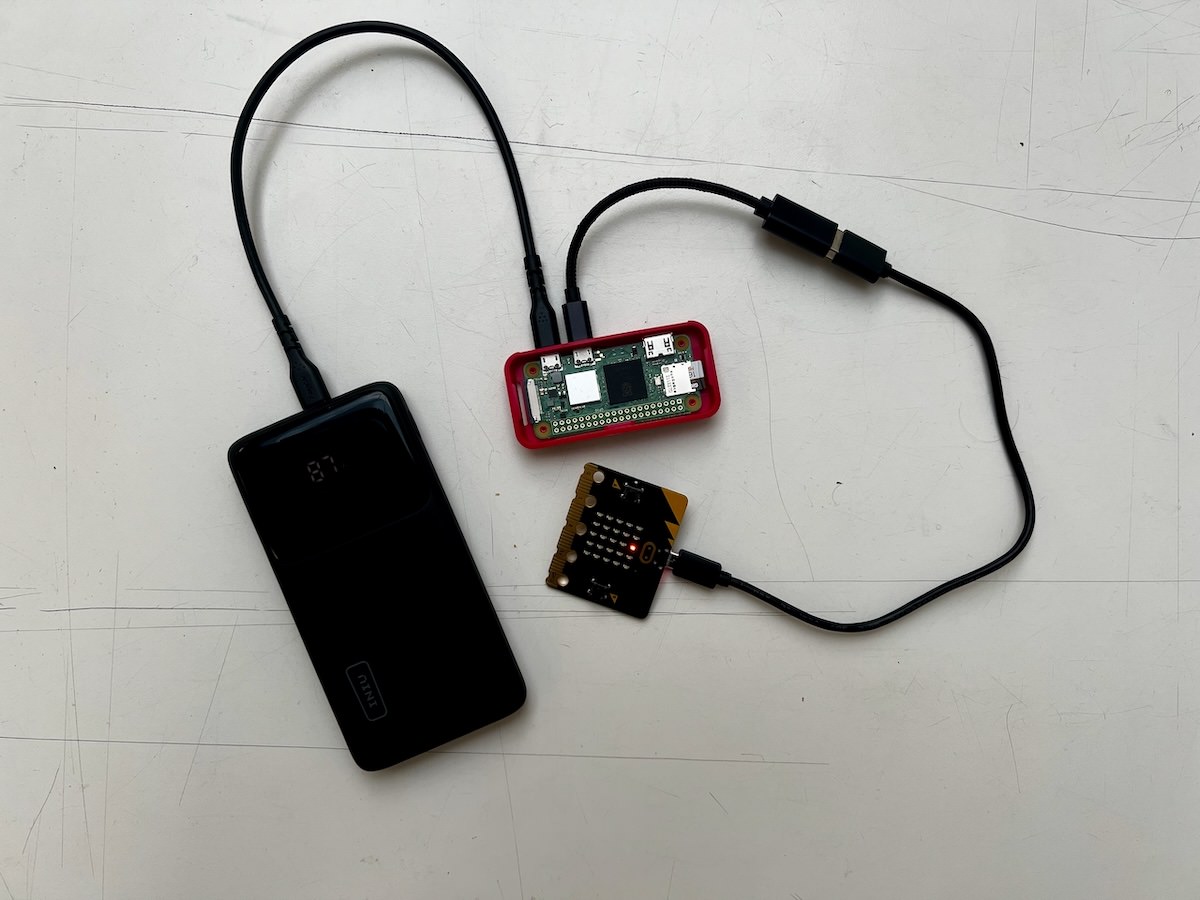
<img src="img/impsy-micro.jpg" alt="A prototype AI musical instrument." />
<figcaption aria-hidden="true">A prototype AI musical instrument.</figcaption>
</figure>

</div>

</div>

## More of what a prototype is

<div class="columns">

<div class="column" width="40%">

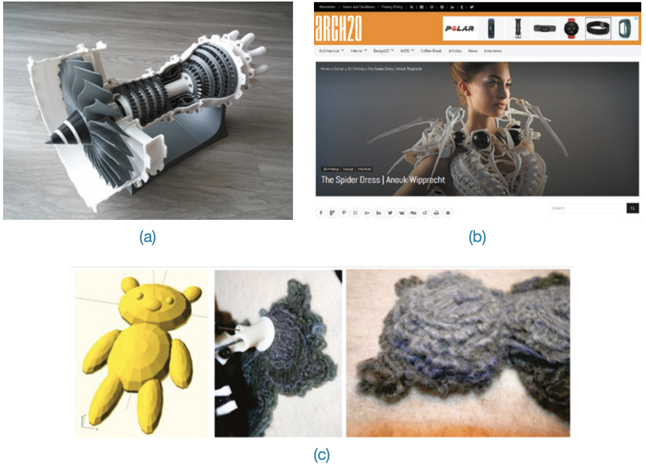
manifestation of an idea ([Doorley et al., 2018](#ref-design-thinking-bootleg:2018)), e.g.:

- a wall of post-its
- a role-playing game
- an activity
- an object
- a program
- a website
- an app

</div>

<div class="column" width="60%">

<figure>
<img src="img/prototype_3_manifestation.png" style="width:80.0%" alt="(Rogers et al., 2023) Figure 12.2: (a) model jet engine, (b) moving and sensing dress, (c) a teddy bear printed from a wireframe design" />
<figcaption aria-hidden="true"><span class="citation" data-cites="rogers-beyond-hci:2023">(<a href="#ref-rogers-beyond-hci:2023" role="doc-biblioref">Rogers et al., 2023</a>)</span> Figure 12.2: (a) model jet engine, (b) moving and sensing dress, (c) a teddy bear printed from a wireframe design</figcaption>
</figure>

</div>

</div>

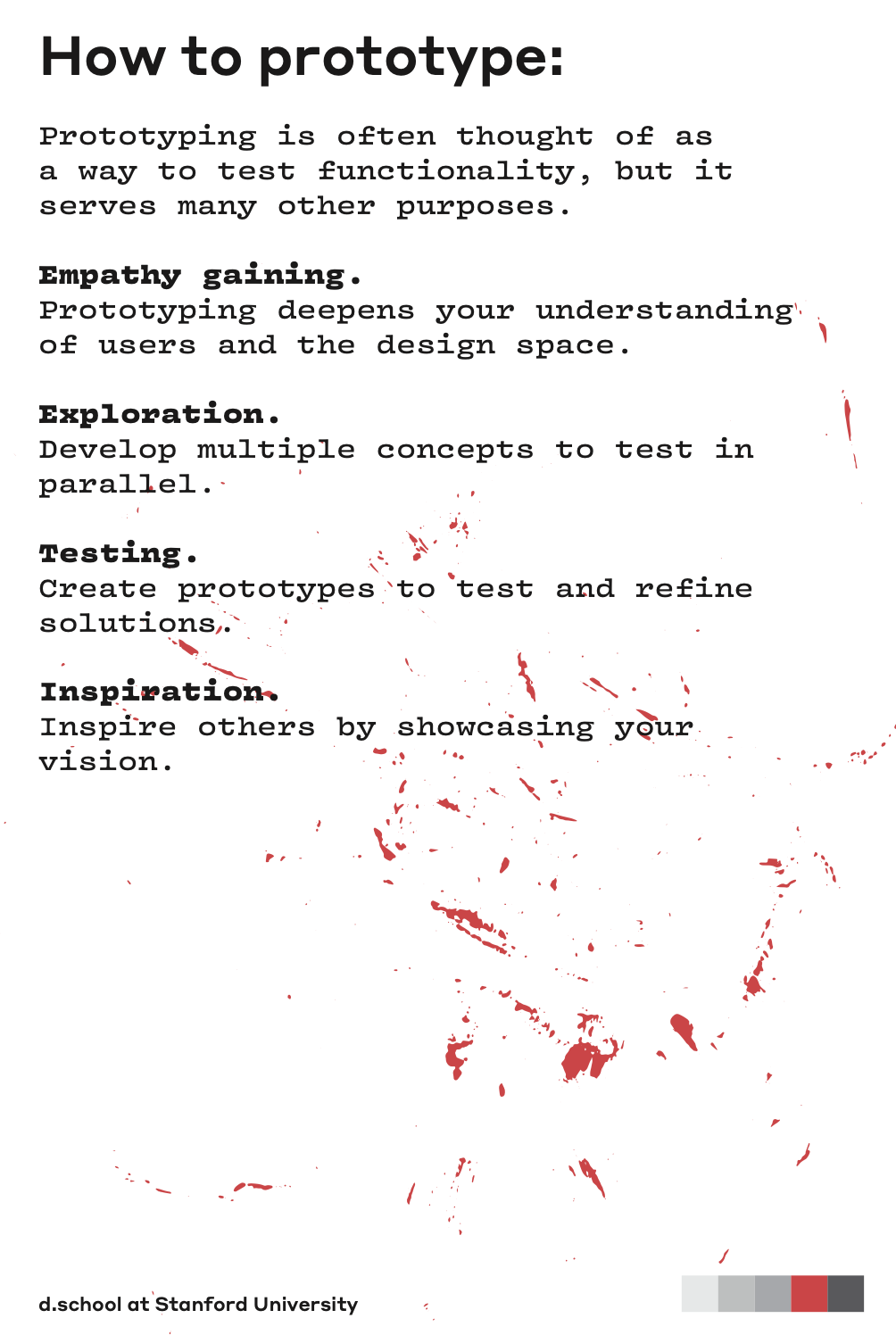
## Why make prototypes

<div class="columns">

<div class="column" width="60%">

- empathy gaining
- exploration (build to think)
- testing
- inspiration
- learn
- solve disagreements
- start a conversation
- fail quickly and cheaply
- manage solution-building ([Doorley et al., 2018](#ref-design-thinking-bootleg:2018))

</div>

<div class="column" width="40%">

<figure>
<img src="img/dschool-prototyping.png" style="width:50.0%" alt="How to prototype from Doorley et al. (2018)" />
<figcaption aria-hidden="true">How to prototype from <span class="citation" data-cites="design-thinking-bootleg:2018">Doorley et al. (<a href="#ref-design-thinking-bootleg:2018" role="doc-biblioref">2018</a>)</span></figcaption>
</figure>

</div>

</div>

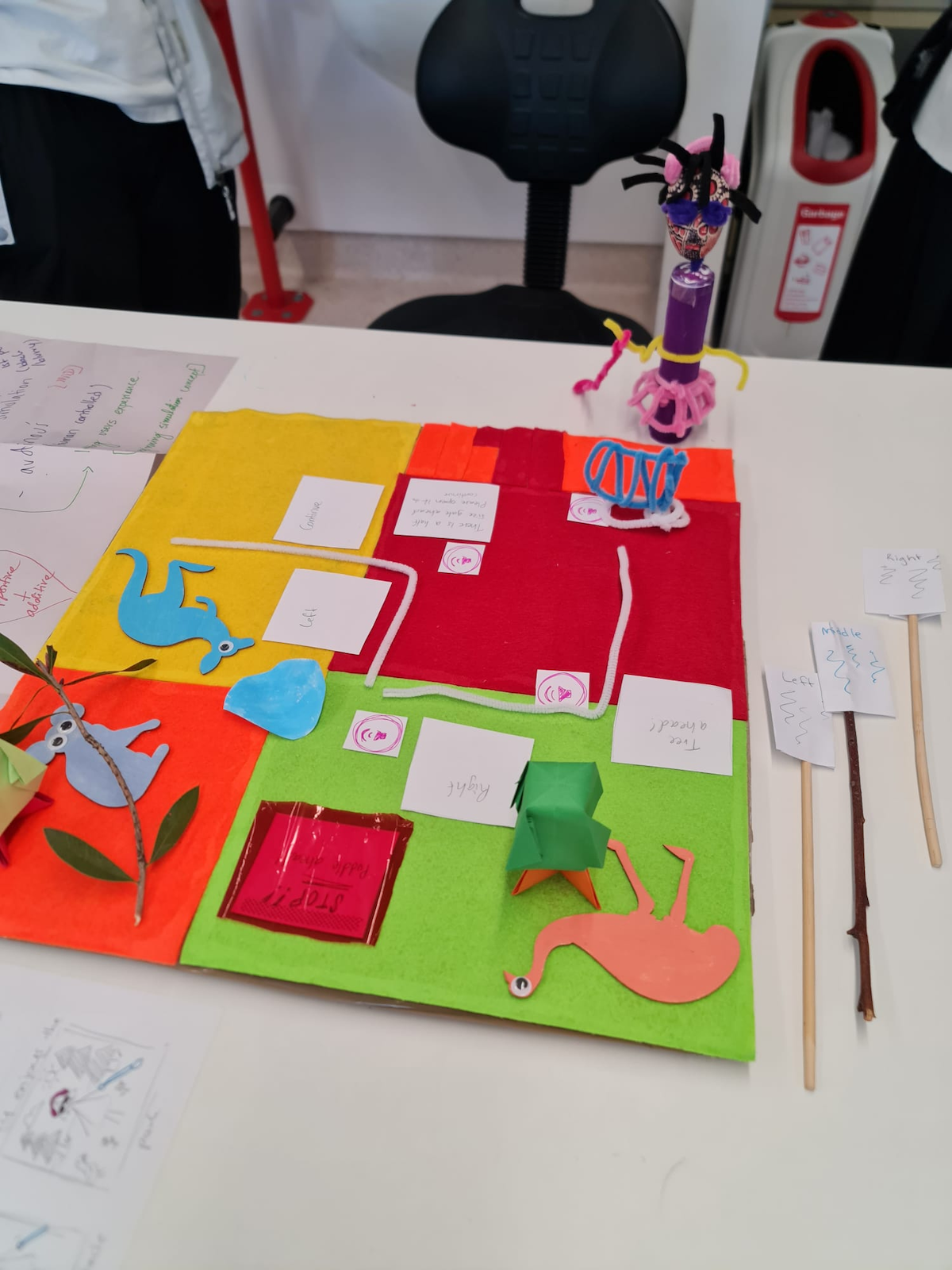
## Game

<figure>
<img src="img/prototype-game-sarkar.png" style="width:30.0%" alt="A prototype game from Anneysha Sarkar" />
<figcaption aria-hidden="true">A prototype game from Anneysha Sarkar</figcaption>
</figure>

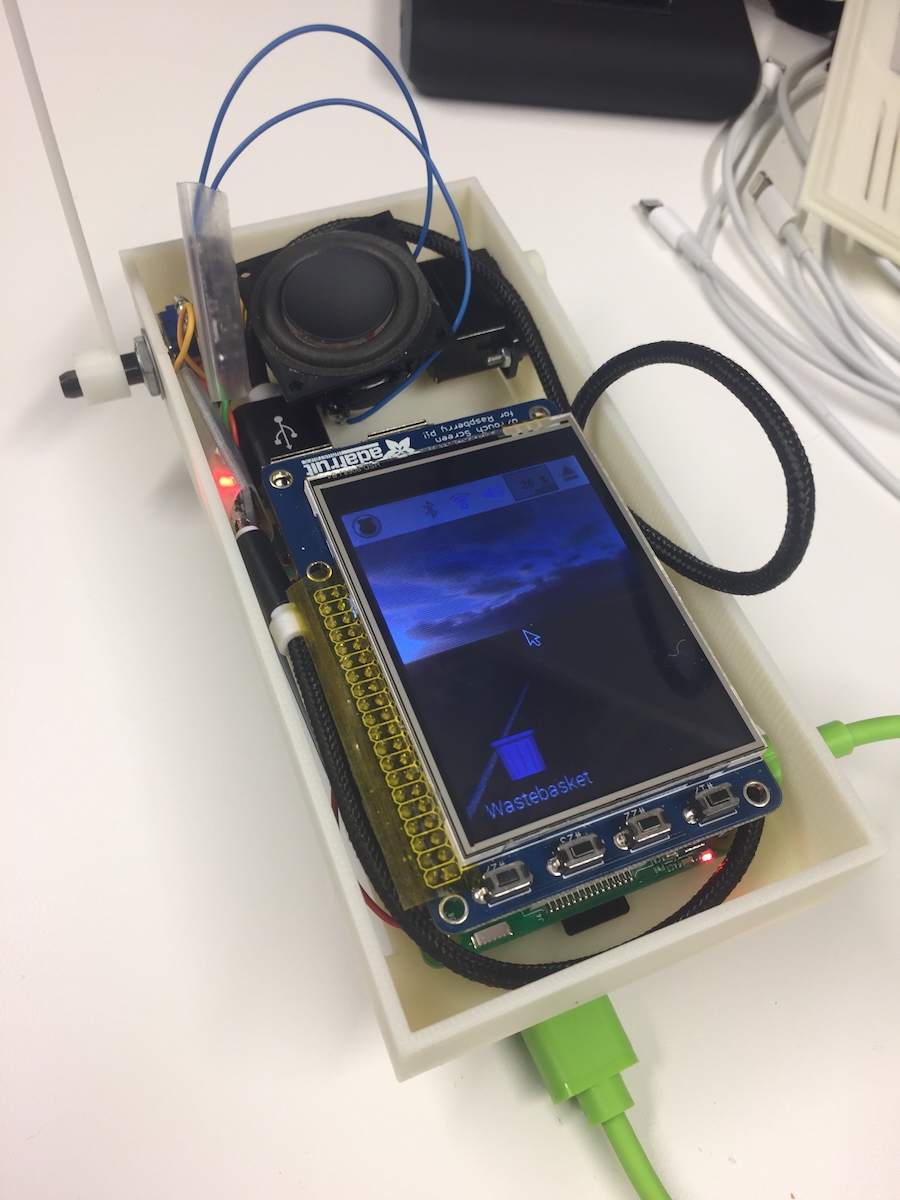
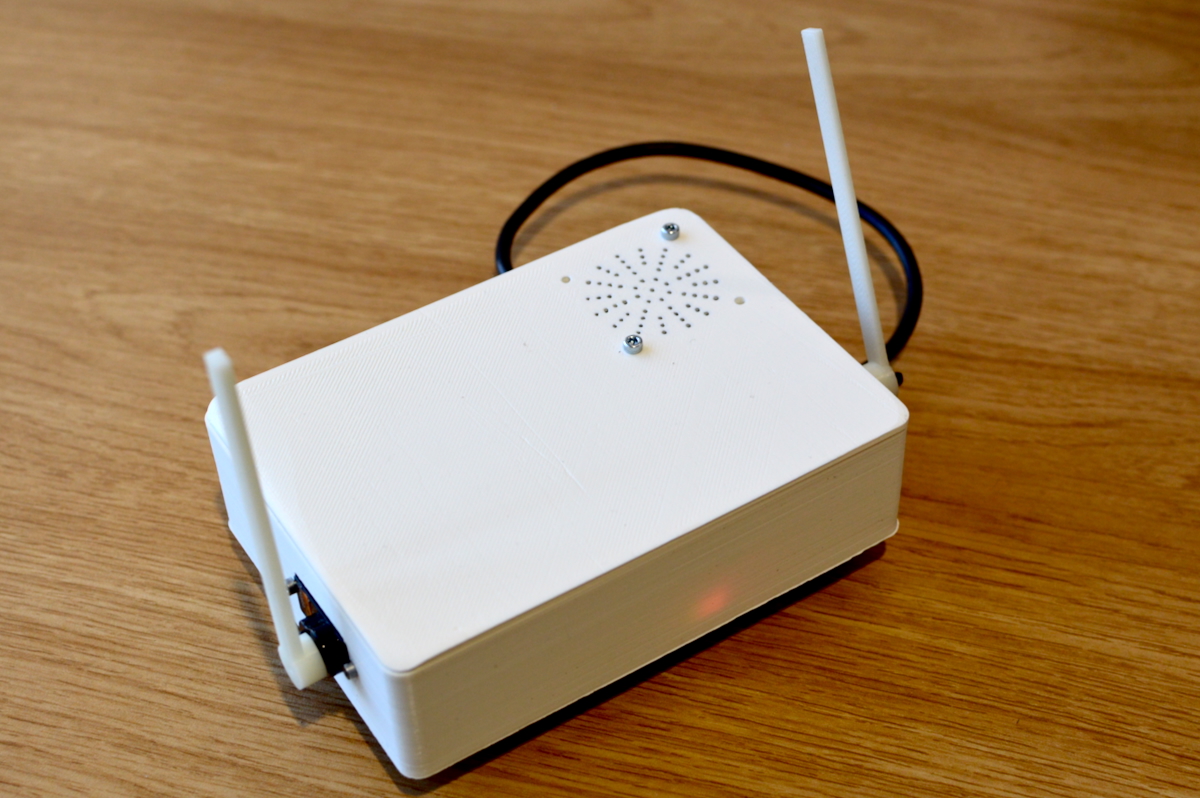
## EMPI (embodied musical predictive interface)

<div class="columns">

<div class="column" width="50%">

<figure>
<img src="img/prototype-impsy-2018.jpg" style="width:50.0%" alt="An early prototype (2018)" />
<figcaption aria-hidden="true">An early prototype (2018)</figcaption>
</figure>

</div>

<div class="column" width="50%">

<figure>
<img src="img/prototype-impsy-2019.jpg" style="width:100.0%" alt="A later prototype (2019) (Martin et al., 2020)" />
<figcaption aria-hidden="true">A later prototype (2019) <span class="citation" data-cites="martin-understanding-musical-predictions:2020">(<a href="#ref-martin-understanding-musical-predictions:2020" role="doc-biblioref">Martin et al., 2020</a>)</span></figcaption>
</figure>

</div>

</div>

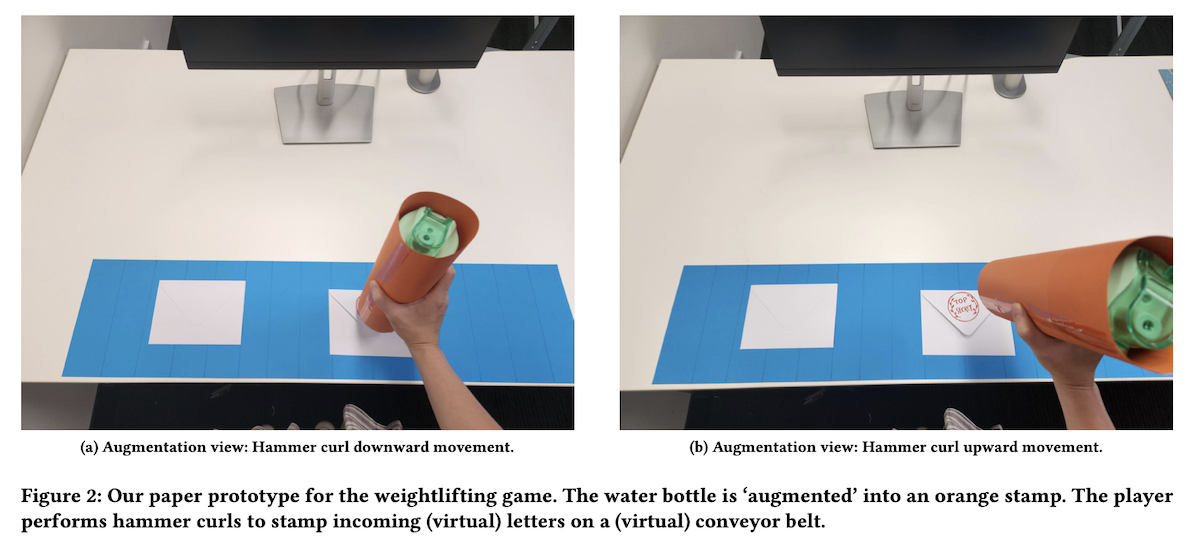
## Charades: Waterbottle Stamp (2025)

<figure>
<img src="img/prototype-charades-2025.png" alt="(Adiwangsa et al., 2025)" />
<figcaption aria-hidden="true"><span class="citation" data-cites="adiwangsa-charades:2025">(<a href="#ref-adiwangsa-charades:2025" role="doc-biblioref">Adiwangsa et al., 2025</a>)</span></figcaption>
</figure>

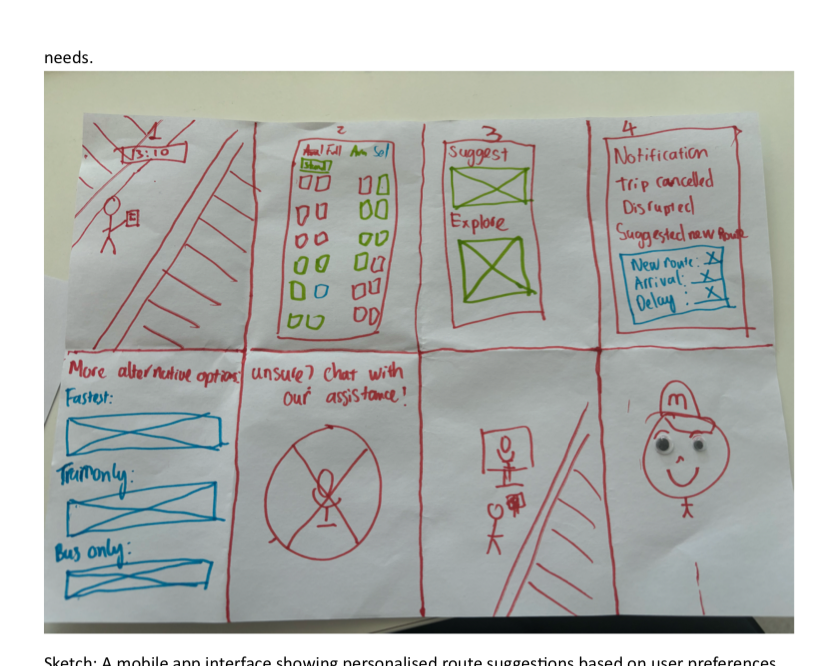
## Storyboard

<figure>
<img src="img/prototype-storyboard-ethantr.png" style="width:45.0%" alt="A storyboard as a prototype from Ethan Teber-Rossi" />
<figcaption aria-hidden="true">A storyboard as a prototype from Ethan Teber-Rossi</figcaption>
</figure>

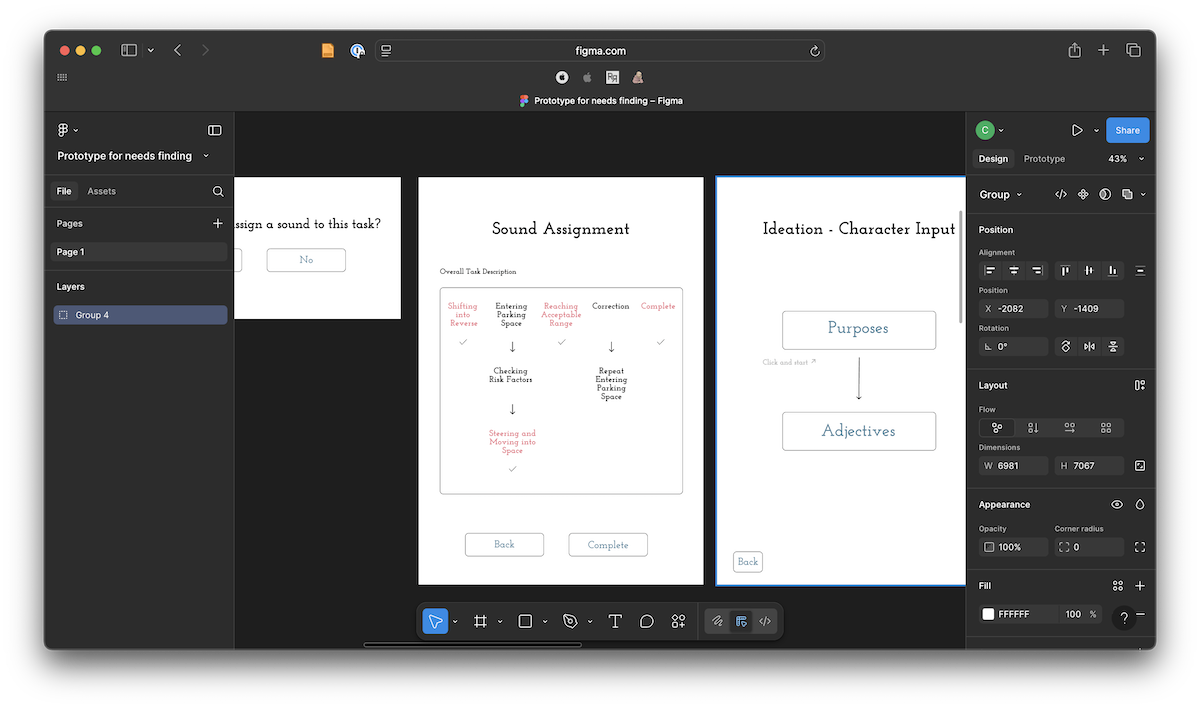
## Wireframe

<figure>
<img src="img/prototype-sound-needs-finding-wireframe-2-2024.png" style="width:60.0%" alt="A wireframe prototype from Minsik Choi" />
<figcaption aria-hidden="true">A wireframe prototype from Minsik Choi</figcaption>
</figure>

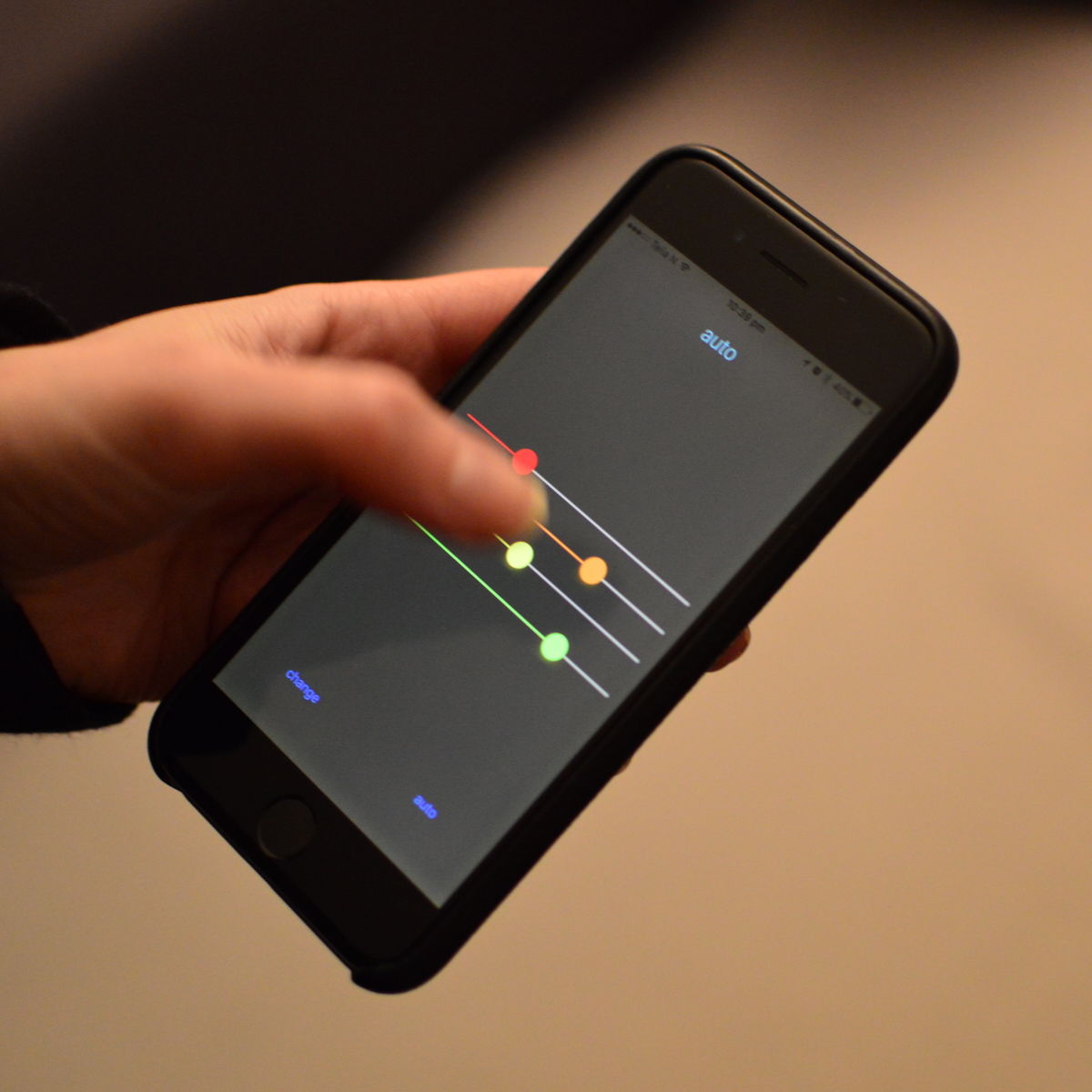
## FaderJam (2016)

<figure>
<img src="img/prototype-faderjam-2016.jpg" style="width:40.0%" alt="Prototype for a generative music app by Charles (turned out to be a bad idea)" />
<figcaption aria-hidden="true">Prototype for a generative music app by Charles (turned out to be a bad idea)</figcaption>
</figure>

## Wireframe App

<div class="columns">

<div class="column" width="40%">

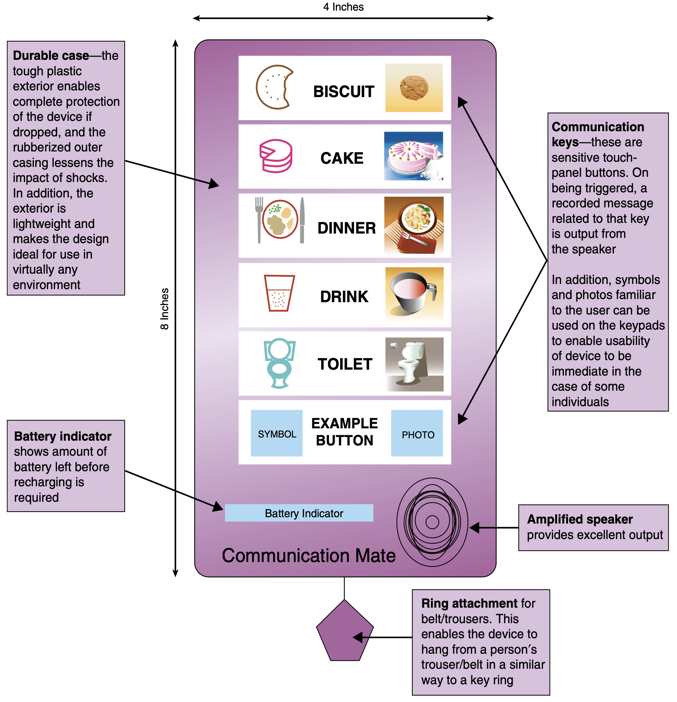
- Paper-based prototype to help a child with autism to communicate
- Functions and buttons
- Positioning and labels
- Shape of the device
- No actual functionality

</div>

<div class="column" width="60%">

<figure>
<img src="img/prototype_4_wireframe-app.png" alt="Rogers et al. (2023), Figure 12.3" />
<figcaption aria-hidden="true"><span class="citation" data-cites="rogers-beyond-hci:2023">Rogers et al. (<a href="#ref-rogers-beyond-hci:2023" role="doc-biblioref">2023</a>)</span>, Figure 12.3</figcaption>
</figure>

</div>

</div>

## Kinds of Prototypes

- all of the above were used to *test* ideas and drive evaluation
- some are more like a final product
- we use the word “fidelity” to mean how close a prototype is like a final product
- *low-fidelity:* (low-fi) rough, quick, not like a final product
- *high-fidelity:* (high-fi) more polished, slower to make, more like a final product
- a better question than “how much fidelity?”: what does your prototype *prototype*? its **role**, its **look and feel**, or its **implementation**? ([Houde & Hill, 1997](#ref-houde1997prototypes))

# Prototype Definitions and Analysis

## Filters and Manifestations

<div class="columns">

<div class="column" width="50%">

**Filters:** emphasise some aspects of a design, omit others. ([Lim et al., 2008](#ref-lim-prototypes:2008); [Rogers et al., 2023](#ref-rogers-beyond-hci:2023), Box 12.2)

- **Appearance:** size, colour, shape, form, texture, sound
- **Data:** size, type, use, privacy, organisation
- **Functionality:** needs, features
- **Interactivity:** input, output, feedback
- **Spatial Structure:** arrangement of interface, intangible, tangible, 2D, 3D

</div>

<div class="column" width="50%">

**Manifestations:** an external representation of the design ([Lim et al., 2008](#ref-lim-prototypes:2008); [Rogers et al., 2023](#ref-rogers-beyond-hci:2023), Box 12.2)

- **Material:** media used, physical, code, hardware etc
- **Resolution:** level of detail and sophistication (fidelity)
- **Scope:** range of functionality, needs addressed

</div>

</div>

## The prototyping spectrum

<!-- This is not a great slide. WHere is the citation? The two links don't go great places and I won't visit them in the lecture. -->

<div class="columns">

<div class="column" width="50%">

- High Fidelity Prototype
- Low Fidelity Prototype
- <https://collection.maas.museum/object/115505>
- <https://www.youtube.com/watch?v=k_9Q-KDSb9o>

</div>

<div class="column" width="50%">

![](img/prototype_5_spectrum_a.jpg) ![](img/prototype_6_spectrum_b.jpg) ![Photo by [Manik Roy](https://unsplash.com/@pixnum) on [Unsplash](https://unsplash.com/s/photos/toaster)](img/07_prototyping_8.jpg)

</div>

</div>

## Prototyping - Low-Fidelity

<!-- the story here is about the (famous) wooden palmpilot prototype. Where is that sourced? -->

<div class="columns">

<div class="column" width="40%">

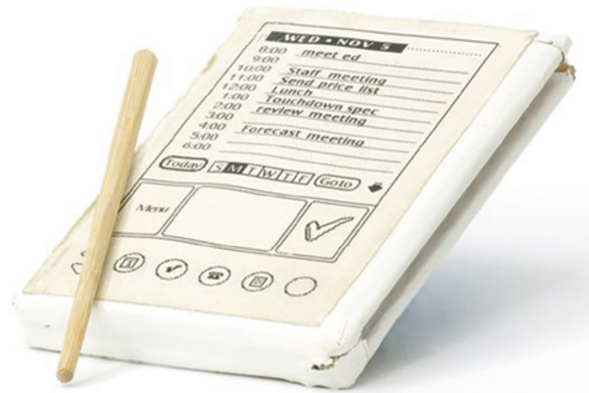
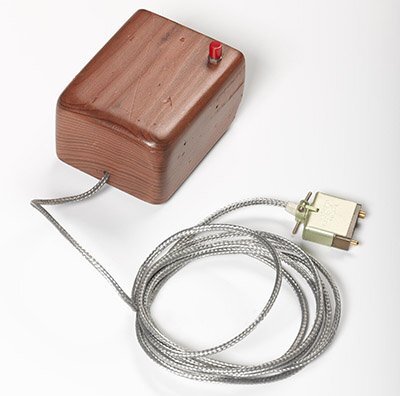
- Don’t look/act like the final product
- Simple, cheap, quick to produce/modify
- Support exploration of alternative designs/ideas
- Important in early stages - exploration/modification
- Not meant to be kept and used for the final product
- Storyboarding, Sketching, Index Cards, Wizard of Oz

</div>

<div class="column" width="60%">

<figure>
<img src="img/prototype_7_palmpilot.png" style="width:100.0%" alt="Rogers et al. (2023) Figure 12.1: PalmPilot wooden prototype" />
<figcaption aria-hidden="true"><span class="citation" data-cites="rogers-beyond-hci:2023">Rogers et al. (<a href="#ref-rogers-beyond-hci:2023" role="doc-biblioref">2023</a>)</span> Figure 12.1: PalmPilot wooden prototype</figcaption>
</figure>

</div>

</div>

## Low-Fi: Storyboards

<div class="columns">

<div class="column" width="40%">

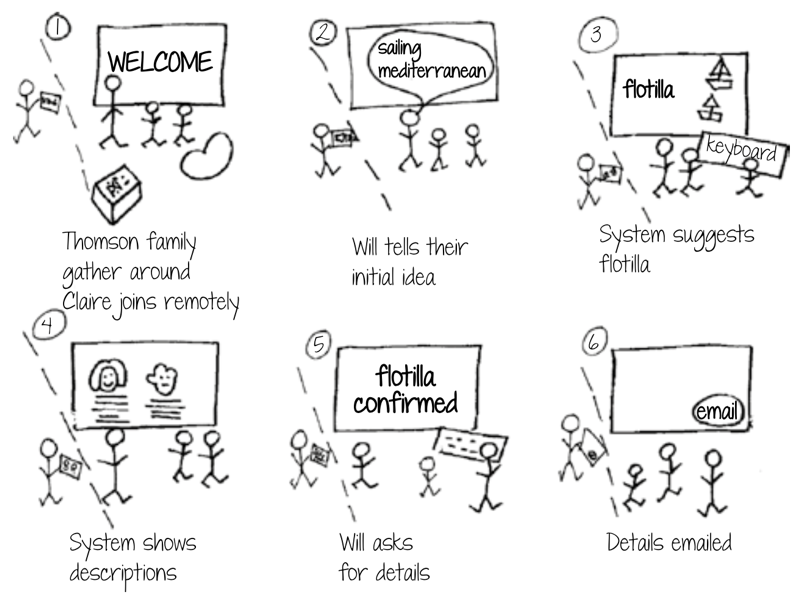
- a scenario is one story
- a storyboard represents a sequence of events (can be sketches)
- generated from scenario
- break the story into steps
- thinking through process
- think about design issues

</div>

<div class="column" width="60%">

<figure>
<img src="img/prototype_8_storyboard.png" alt="Rogers et al. (2023) Figure 12.12 travel organiser storyboard" />
<figcaption aria-hidden="true"><span class="citation" data-cites="rogers-beyond-hci:2023">Rogers et al. (<a href="#ref-rogers-beyond-hci:2023" role="doc-biblioref">2023</a>)</span> Figure 12.12 travel organiser storyboard</figcaption>
</figure>

</div>

</div>

## Low-Fi: The Role of Sketching

<div class="columns">

<div class="column" width="40%">

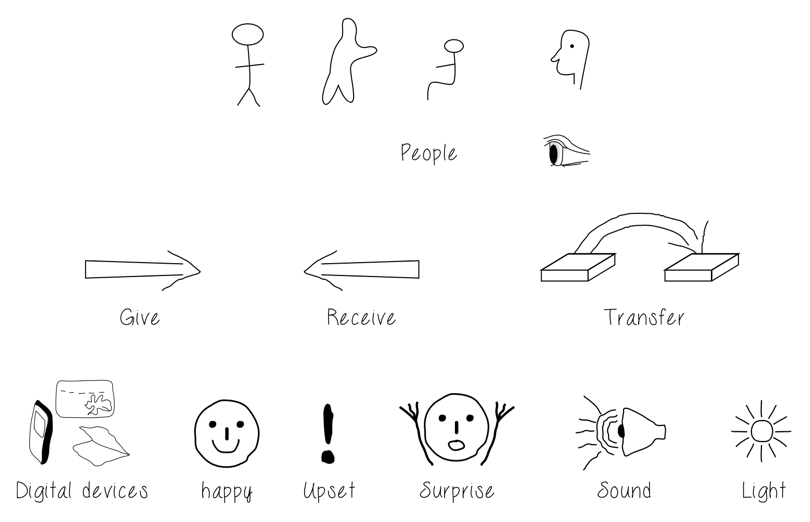
- Sketching - a key part of low-fidelity prototyping
- “Sketching is not about drawing. Rather, it is about design” ([Greenberg et al., 2012](#ref-greenberg-sketching-workbook:2012))
- Sketching vocabulary, required elements

So a sketch *is* a prototype? Which is it?

</div>

<div class="column" width="60%">

<figure>
<img src="img/prototype_9_sketching.png" alt="Rogers et al. (2023) Figure 12.5: simple sketches for low-fidelity prototyping" />
<figcaption aria-hidden="true"><span class="citation" data-cites="rogers-beyond-hci:2023">Rogers et al. (<a href="#ref-rogers-beyond-hci:2023" role="doc-biblioref">2023</a>)</span> Figure 12.5: simple sketches for low-fidelity prototyping</figcaption>
</figure>

</div>

</div>

## The sketch-to-prototype continuum

Buxton’s own answer: the difference is one of **purpose, or intent** — “a continuum, not an either/or proposition” ([Buxton, 2007, Figure 52](#ref-buxton-sketching:2007)):

| a sketch is… | a prototype is… |
|--------------|-----------------|
| evocative    | didactic        |
| suggest      | describe        |
| explore      | refine          |
| question     | answer          |
| propose      | test            |
| provoke      | resolve         |
| tentative    | specific        |
| noncommittal | depiction       |

So: don’t ask “is this a sketch or a prototype?” — ask **what it’s for**.

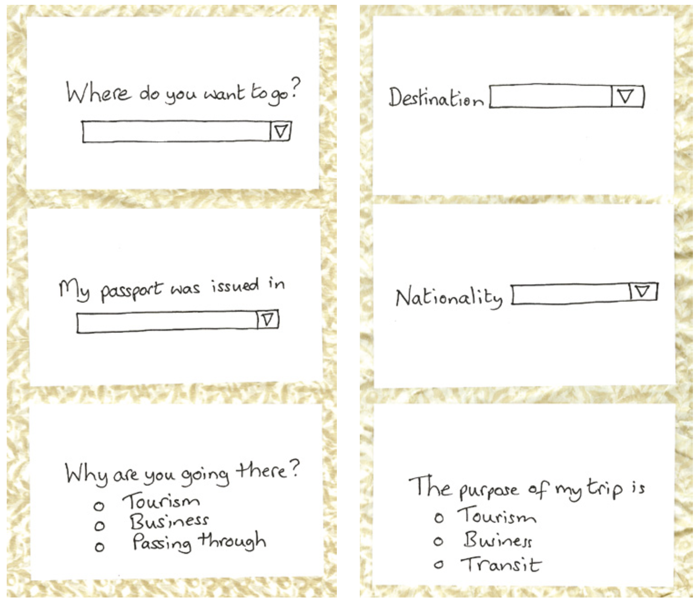
## Low-Fi: Card-Based Prototypes

<div class="columns">

<div class="column" width="40%">

- Index cards (Small pieces of cardboard: 3x5 inches)
- Each card represents one element of the interaction
- A screen, icon, menu, dialog exchanges
- User can step through the cards
- Pretending to perform the task while interacting
- Explore user experience

</div>

<div class="column" width="60%">

<figure>
<img src="img/prototype_10_cards.png" alt="Rogers et al. (2023) Figure 12.12 travel organiser cards" />
<figcaption aria-hidden="true"><span class="citation" data-cites="rogers-beyond-hci:2023">Rogers et al. (<a href="#ref-rogers-beyond-hci:2023" role="doc-biblioref">2023</a>)</span> Figure 12.12 travel organiser cards</figcaption>
</figure>

</div>

</div>

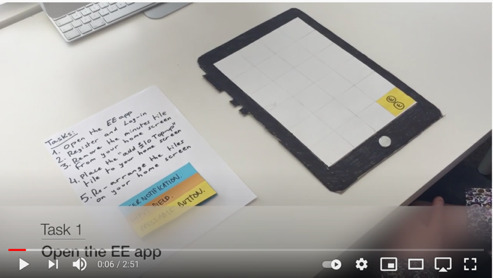
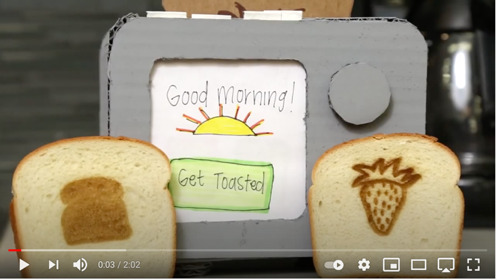
## Low-Fi: Paper and Cardboard Prototypes

<div class="columns">

<div class="column" width="40%">

<figure>
<img src="img/07_prototyping_16.jpg" alt="Interactive Paper Prototypes" />
<figcaption aria-hidden="true"><a href="https://www.youtube.com/watch?v=yafaGNFu8Eg">Interactive Paper Prototypes</a></figcaption>
</figure>

</div>

<div class="column" width="60%">

<figure>
<img src="img/07_prototyping_17.jpg" alt="Cardboard Prototypes" />
<figcaption aria-hidden="true"><a href="https://www.youtube.com/watch?v=k_9Q-KDSb9o">Cardboard Prototypes</a></figcaption>
</figure>

</div>

</div>

## Paper Prototyping

It’s not just the prototypes, but how you use them!

<figure>
<img src="img/07_prototyping_18.png" alt="Paper Prototyping 101" />
<figcaption aria-hidden="true"><a href="https://www.youtube.com/watch?v=fw42BYQmuJ4">Paper Prototyping 101</a></figcaption>
</figure>

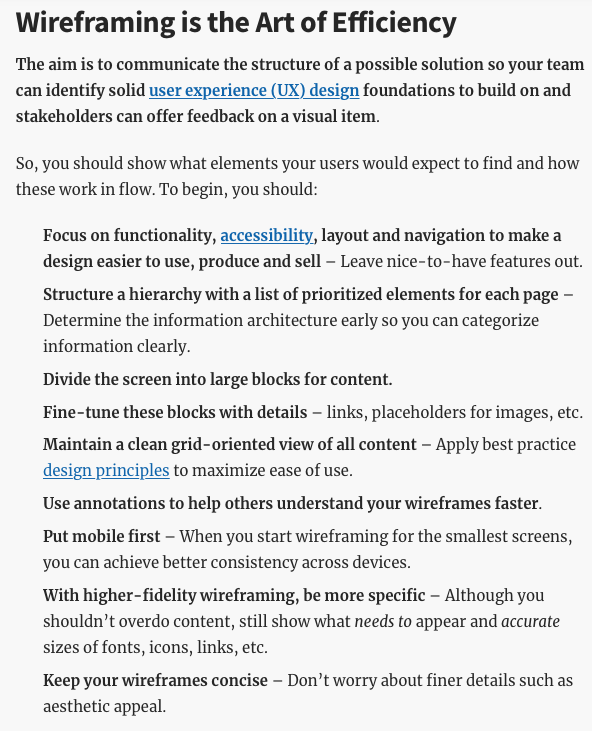
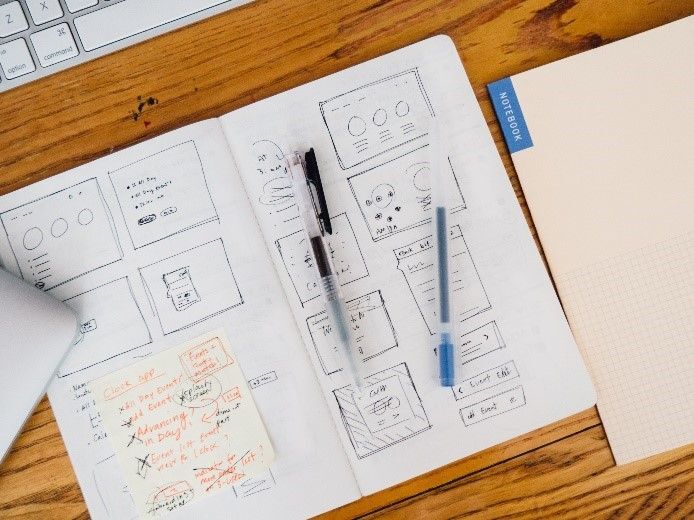
## Low-Fi: Wireframes

<div class="columns">

<div class="column" width="50%">

<figure>
<img src="img/07_prototyping_19.png" alt="What are wireframes?" />
<figcaption aria-hidden="true"><a href="https://www.interaction-design.org/literature/topics/wireframing">What are wireframes?</a></figcaption>
</figure>

</div>

<div class="column" width="50%">

<figure>
<img src="img/prototype_11_wireframes.jpg" alt="Wireframes in a sketchbook" />
<figcaption aria-hidden="true">Wireframes in a sketchbook</figcaption>
</figure>

</div>

</div>

## Prototypes vs Wireframes

<figure>
<img src="img/07_prototyping_21.png" alt="Prototypes vs Wireframes" />
<figcaption aria-hidden="true"><a href="https://www.youtube.com/watch?v=miVcrftnhzM">Prototypes vs Wireframes</a></figcaption>
</figure>

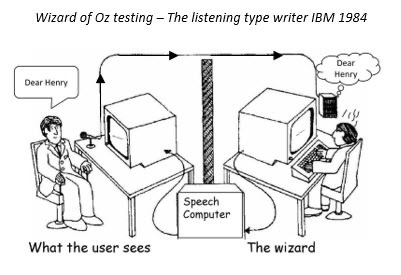
## Wizard of Oz Experiments

<div class="columns">

<div class="column" width="40%">

Can we test a product that doesn’t exist?

- user interacts with the software
- a human simulates the software’s response
- assumes a software product or app
- see Porcheron et al. ([2021](#ref-porcheron-wizard:2020)) for a look behind the curtain

<!-- can we more clearly explain how this will work? rather than the cutesy "behind the curtain" thing. -->

</div>

<div class="column" width="60%">

<figure>
<img src="img/07_prototyping_23.jpg" style="width:70.0%" alt="Testing a system that doesn’t exist." />
<figcaption aria-hidden="true"><a href="https://www.simpleusability.com/inspiration/2018/08/wizard-of-oz-testing-a-method-of-testing-a-system-that-does-not-yet-exist/">Testing a system that doesn’t exist.</a></figcaption>
</figure>

</div>

</div>

## Making Hardware Prototypes

<div class="columns">

<div class="column" width="60%">

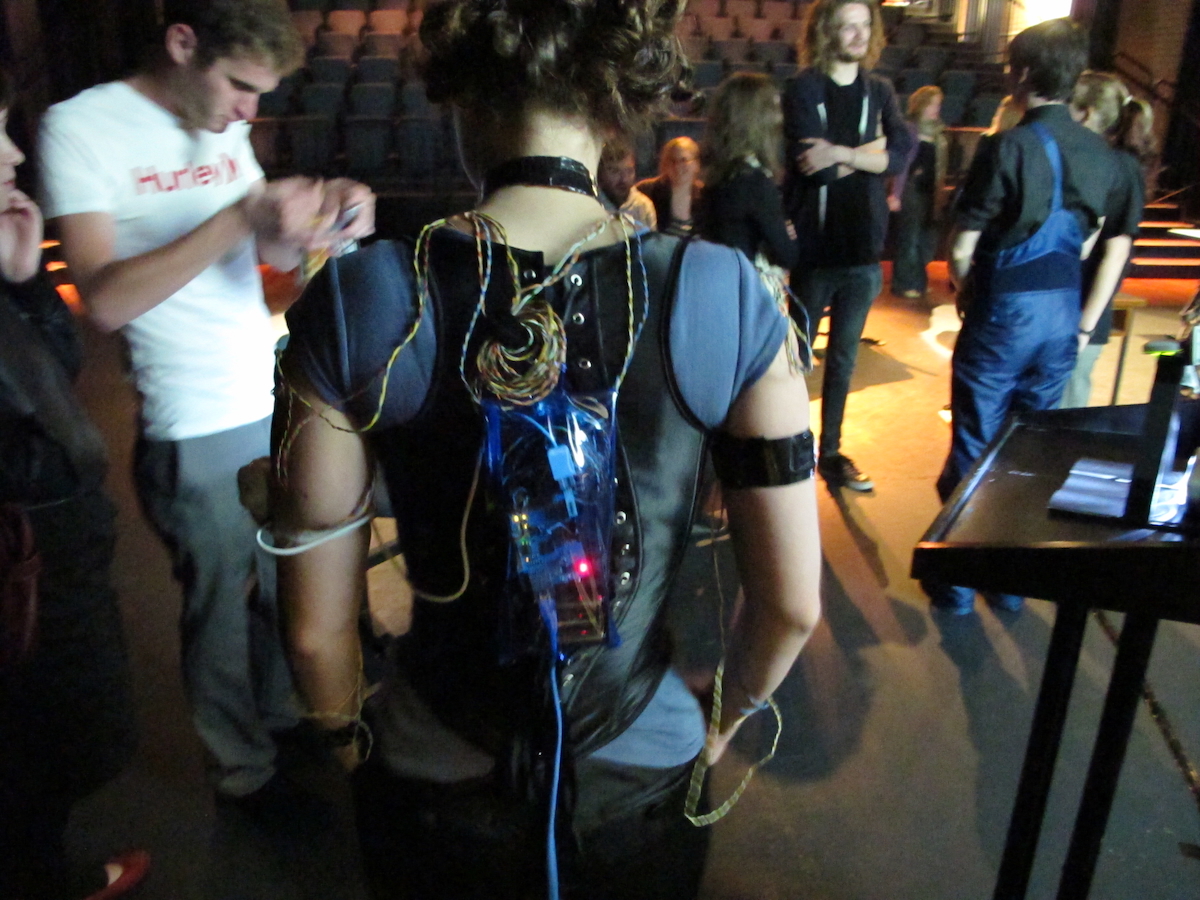
- Build *working* prototype systems in hardware
- [micro:bit](https://microbit.org) - cheap, small, with IO on the board (hello comp2300!)
- [arduino](https://arduino.cc), big ecosystem, not-as-good boards.
- [raspberry pi](https://www.raspberrypi.com), cheap way to get Linux into a prototype
- [Bela](https://bela.io) (charles’ friends!), pricey but hard realtime OS is good for audio interactions.

</div>

<div class="column" width="40%">

<figure>
<img src="img/prototype-actor-interface-2010.jpg" style="width:100.0%" alt="Actor arduino interface (2010)" />
<figcaption aria-hidden="true">Actor arduino interface (2010)</figcaption>
</figure>

</div>

</div>

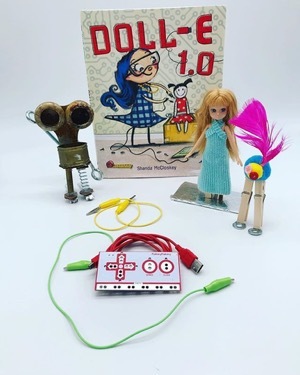
## Makey Makey

<div class="columns">

<div class="column" width="40%">

- alligator clip to connect switches / sensors
- works as a keyboard
- e.g., [banana spacebar](https://www.youtube.com/watch?v=rfQqh7iCcOU)
- programmable arduino-like microcontroller

</div>

<div class="column" width="60%">

<figure>
<img src="img/prototype_12_makey-makey.jpg" style="width:50.0%" alt="The Makey Makey" />
<figcaption aria-hidden="true">The Makey Makey</figcaption>
</figure>

</div>

</div>

## High-Fidelity

<div class="columns">

<div class="column" width="60%">

- looks and acts more like the final product
- answer design questions, learn about constraints
- evolve through stages of fidelity
- can be used in a real application setting
- design-evaluate-redesign cycles
- modify/integrate existing components / tools / kits

</div>

<div class="column" width="40%">

<figure>
<img src="img/07_prototyping_34.jpg" style="width:100.0%" alt="What could this be?" />
<figcaption aria-hidden="true"><a href="https://www.sciencemuseum.org.uk/objects-and-stories/lisa-windows-story-home-computers">What could this be?</a></figcaption>
</figure>

</div>

</div>

## low- versus high-fidelity

| Type | Advantages | Disadvantages |
|----|----|----|
| low-fi | \- quick revision<br>- multiple ideas<br>- good for communication<br>- good proof of concept | \- limited error checking<br>- poor specification for dev<br>- facilitator driven<br>- usability not clear<br>- flow limitations |
| high-fi | \- more functionality<br>- more interactive<br>- user driven<br>- exploration and test<br>- look and feel<br>- marketing/convincing | \- hard work<br>- time consuming to fix<br>- inefficient for proof of concepts<br>- could be mistaken for a product<br>- could set poor expectations |

(adapted from Rogers et al. ([2023](#ref-rogers-beyond-hci:2023)); the original debate is Rudd et al. ([1996](#ref-rudd-fidelity-debate:1996)))

## Compromises

- compromise is inherent to prototyping
- make something quickly to test a particular aspect
- prototype must be built with the key issues in mind <!-- - horizontal vs vertical prototyping -->
- robustness vs flexibility

## What makes a prototype *testable*?

Four criteria the tutors and I worked out for this course — a synthesis of ideas from the literature ([Houde & Hill, 1997](#ref-houde1997prototypes); [Lim et al., 2008](#ref-lim-prototypes:2008)):

1.  **Interactive:** users can actually perform the task — take an action and see a response (even simulated)
2.  **Clear:** users can tell what the system is, what to do, and what just happened
3.  **Evaluative:** you can observe success, hesitation, or confusion — something to learn from
4.  **Focused:** every part helps answer your testing question; the best prototype is the *simplest* one that makes an idea’s possibilities and limitations visible ([Lim et al., 2008](#ref-lim-prototypes:2008))

For Assignment 1, **interactive**, **clear**, **focused** matter most: show how the *interaction* works. We’ll return to all four when we prototype for *evaluation* later in the course.

# Prototyping Starter Kit

## Post-its, notebooks, arts and craft materials

<div class="columns">

<div class="column" width="60%">

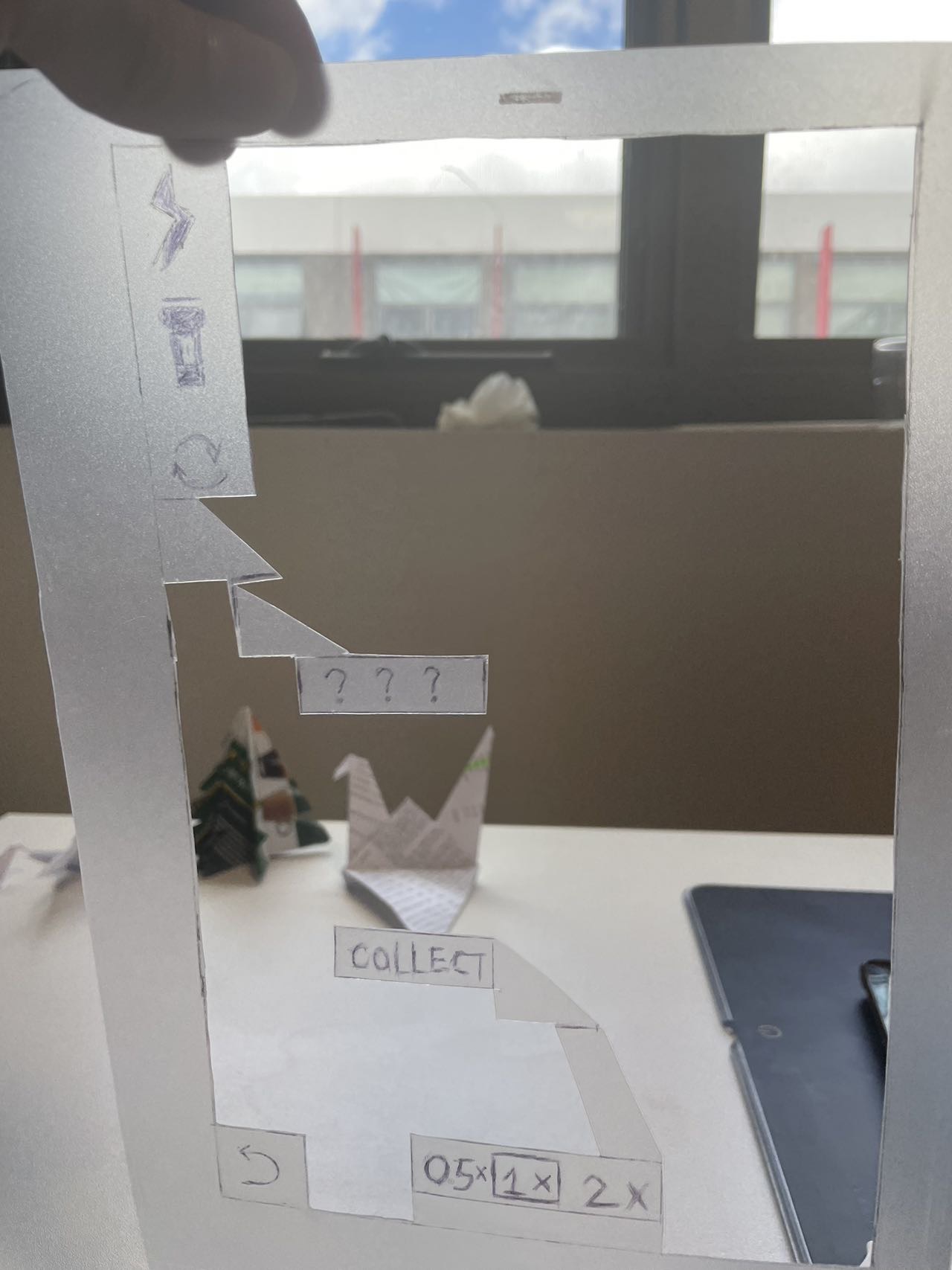
- take one step up from sketching
- paper version of your work *testable*
- low tech, low-fi, low risk, low cost
- from storyboards to cardboard mockups with moving parts

<div class="info-box">

**Note:** You’ll do this in the tutorial next week!

</div>

<div class="success-box">

**Instruction:** Use this method for assignment 1!

</div>

</div>

<div class="column" width="40%">

<figure>
<img src="img/prototype-paper-kevin-zhu-2024.jpg" style="width:70.0%" alt="Paper AR app by Kevin Zhu, 2024." />
<figcaption aria-hidden="true">Paper AR app by Kevin Zhu, 2024.</figcaption>
</figure>

</div>

</div>

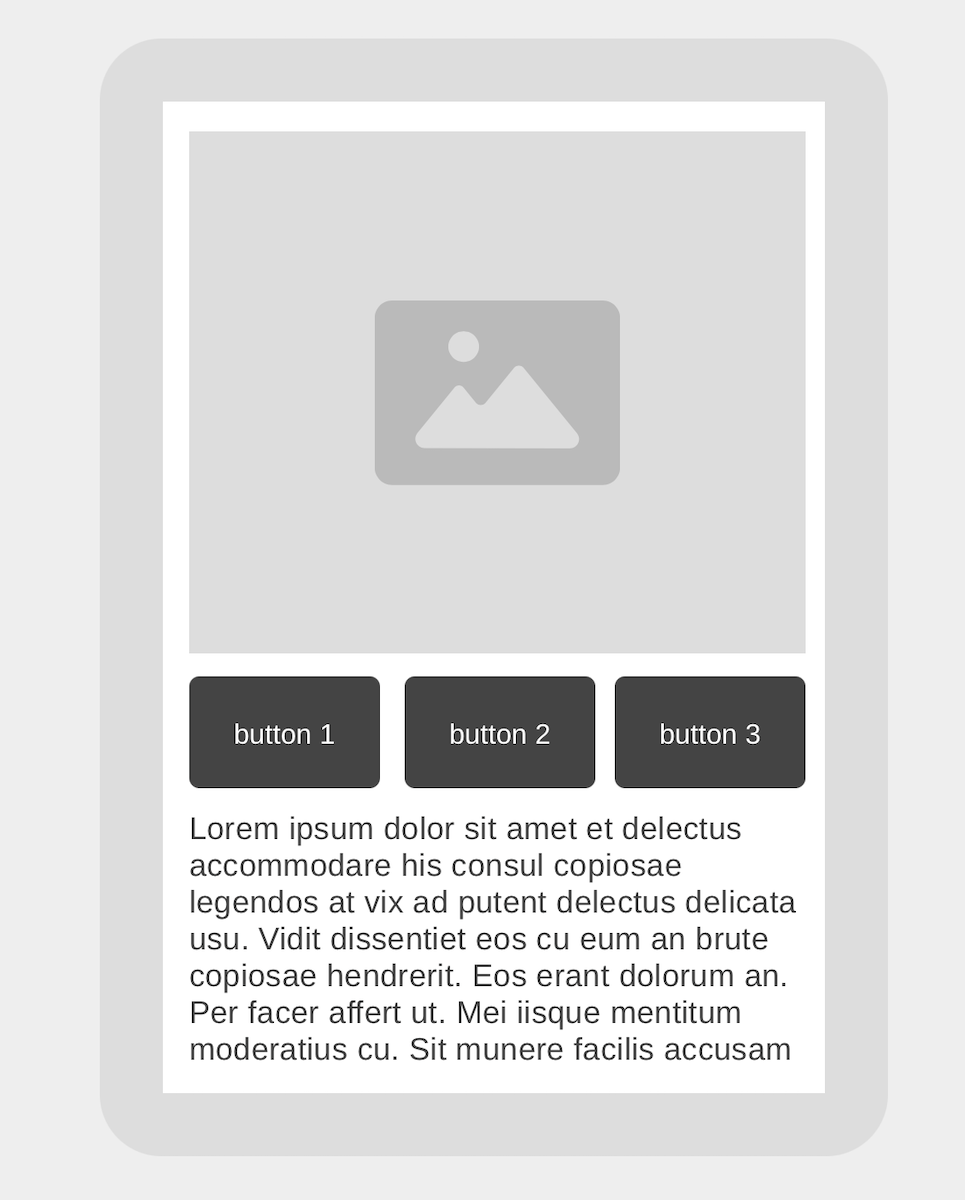
## Digital Wireframe

<div class="columns">

<div class="column" width="60%">

[wireframes](https://www.interaction-design.org/literature/topics/wireframe) are visual plans for a user interface focussed on structure.

- [Figma](https://www.figma.com)
- [wireframe.cc](https://wireframe.cc/)

Established part of UX design process. Can walk through details of an interactive system with stakeholders.

<div class="warn-box">

**Warn:** Don’t do this for assignment 1!

</div>

</div>

<div class="column" width="40%">

<figure>
<img src="img/prototype-wireframecc.png" style="width:70.0%" alt="A wireframe of my awesome product." />
<figcaption aria-hidden="true">A wireframe of my awesome product.</figcaption>
</figure>

</div>

</div>

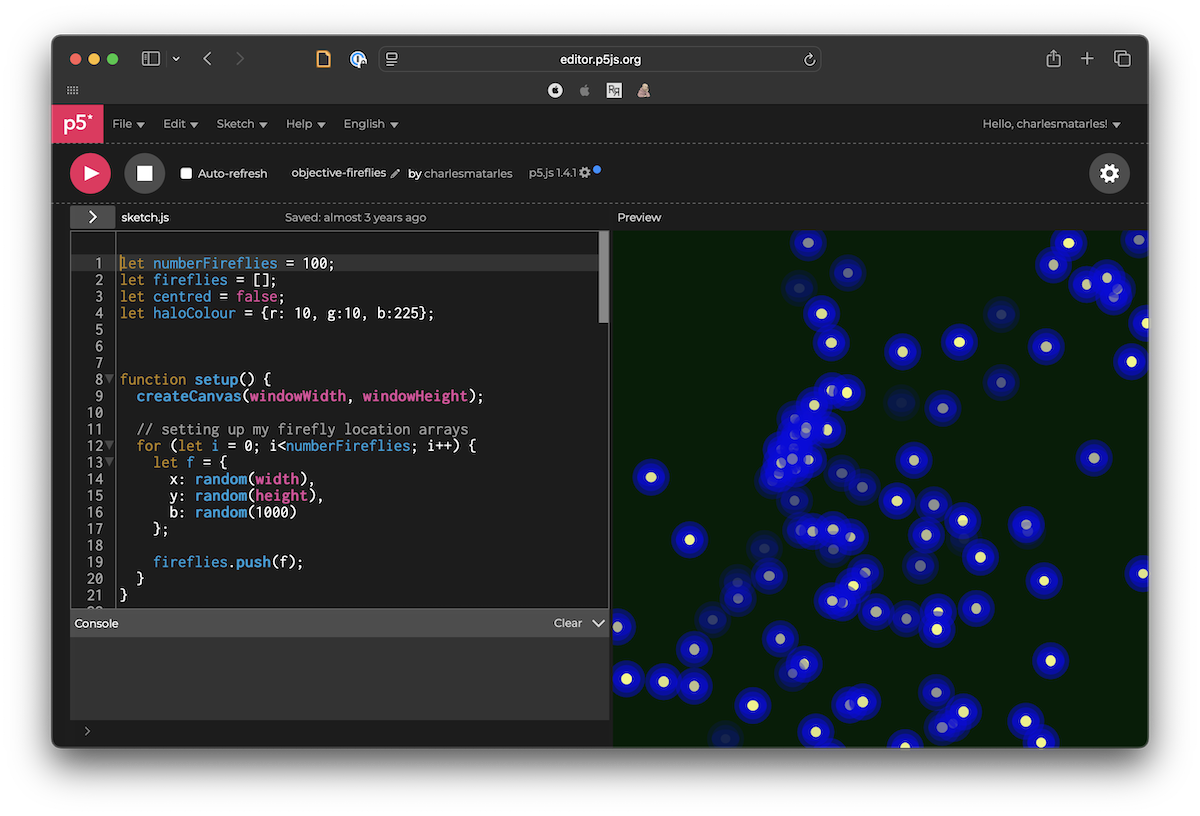
## p5.js or Processing

<div class="columns">

<div class="column" width="60%">

Make interactive systems quickly with a “sketching in code” mindset.

- Processing is the original (Java-based)
- includes a [simple IDE](https://processing.org) and library system
- p5.js is a javascript port
- includes an [online editor](https://editor.p5js.org)

Fast, interactive, not good for “normal” web design.

</div>

<div class="column" width="40%">

<figure>
<img src="img/prototype-p5js.png" alt="Interactive “Fireflies” in p5.js" />
<figcaption aria-hidden="true">Interactive <a href="https://editor.p5js.org/charlesmatarles/sketches/0dvoDGKzd">“Fireflies” in p5.js</a></figcaption>
</figure>

</div>

</div>

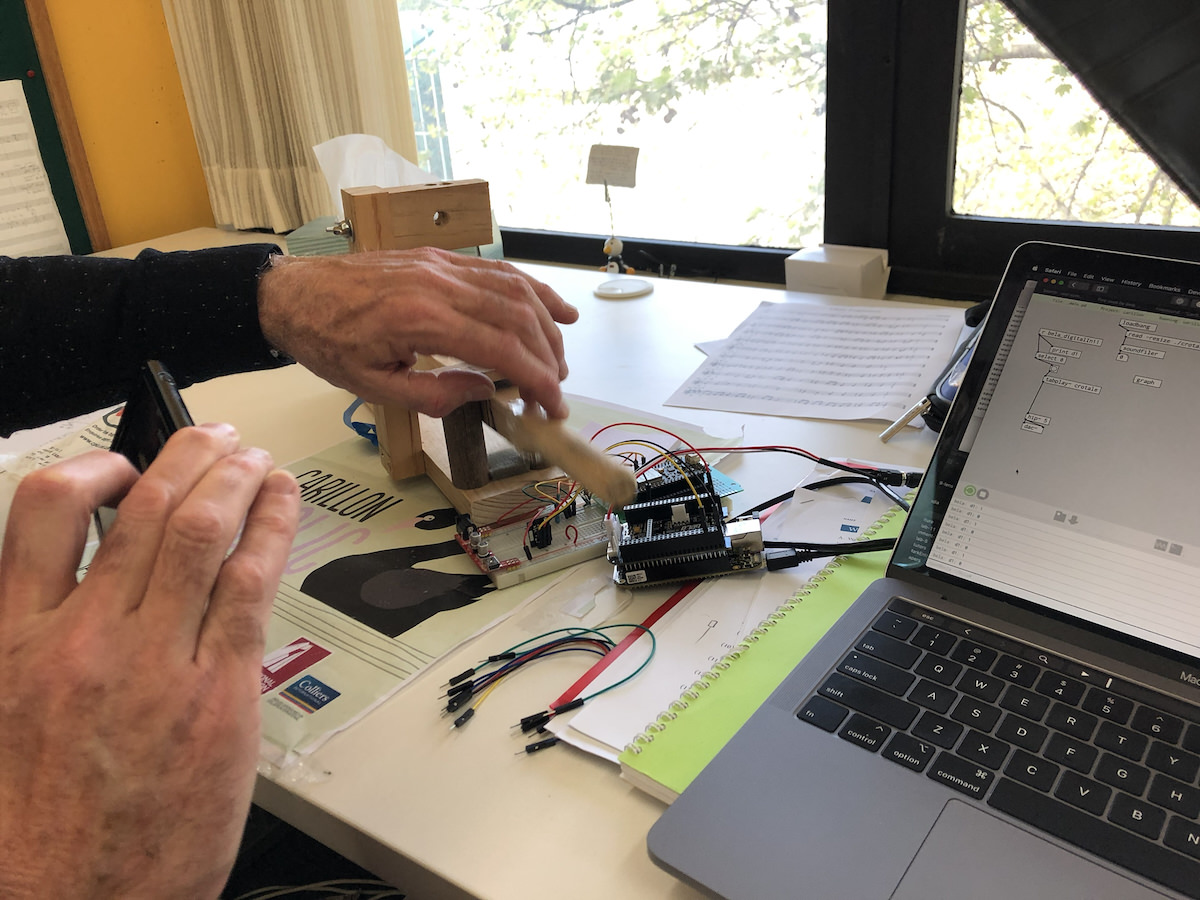
## Hardware Prototyping

<div class="columns">

<div class="column" width="60%">

Sketch in hardware.

- Arduino, Microbit, Bela
- soldering and circuit design
- 3D printing
- fun, frustrating
- can be expensive

Convincing to test with a “real” product, can be used in real-world experiences.

</div>

<div class="column" width="40%">

<figure>
<img src="img/2019-carillon-key.jpg" alt="Alistair Riddell testing an electronic carillon key." />
<figcaption aria-hidden="true">Alistair Riddell testing an <a href="https://charlesmartin.au/blog/2019/12/23/christmas-carillon">electronic carillon key</a>.</figcaption>
</figure>

</div>

</div>

## Web or Application Stack (of your choice)

<div class="columns">

<div class="column" width="60%">

Everybody has different skills and areas of interest.

- where are you comfortable to experiment?
- where do you want to build experience?
- for Charles it’s usually:
  - Python/Flask/Bootstrap
  - or iOS/iPadOS, libpd (for sound)

Need to be careful to focus on *prototyping*. What does a prototype *not need*?

</div>

<div class="column" width="40%">

<figure>
<img src="img/luca-bravo-XJXWbfSo2f0-unsplash.jpg" style="width:100.0%" alt="Go code. (Image: Photo by Luca Bravo on Unsplash)" />
<figcaption aria-hidden="true">Go code. (Image: Photo by Luca Bravo on Unsplash)</figcaption>
</figure>

</div>

</div>

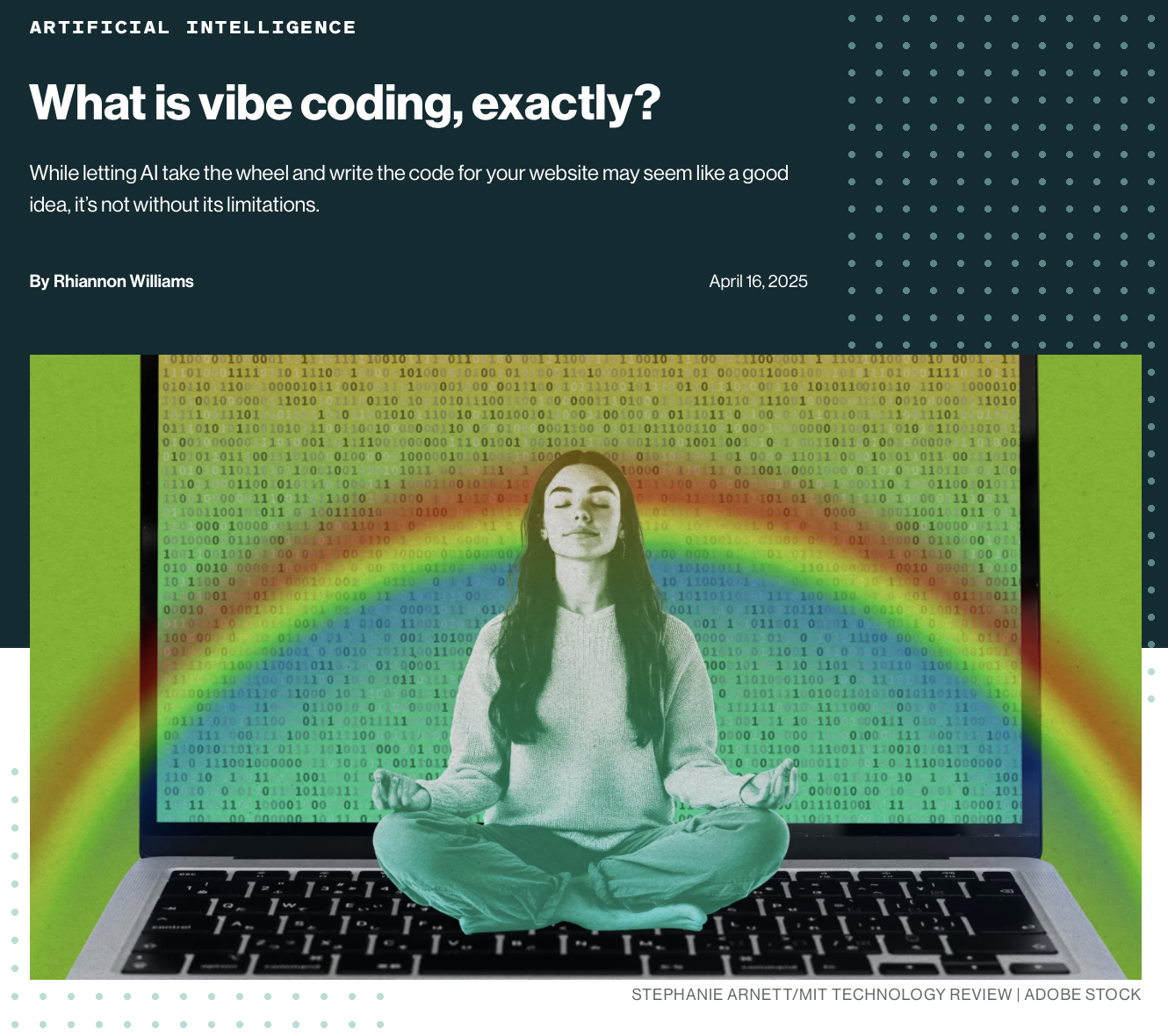
## Vibe Coding

<div class="columns">

<div class="column" width="60%">

Claude/Chattie G and even `gemma4:e4b` are pretty good at making interactive websites!

- agentically build a prototype of your idea.
- fast, cheap
- risks?
- problems?
- affordances?

Changes the value calculations in HCI: we can build more/better prototypes faster. What are the new friction points?

</div>

<div class="column" width="40%">

<figure>
<img src="img/prototyping-vibecoding.png" style="width:100.0%" alt="Vibe coding. Source: MIT Technology Review, April 2025." />
<figcaption aria-hidden="true"><a href="https://www.technologyreview.com/2025/04/16/1115135/what-is-vibe-coding-exactly/">Vibe coding.</a> Source: MIT Technology Review, April 2025.</figcaption>
</figure>

</div>

</div>

## Prototyping when your user isn’t human

Animal-Computer Interaction (ACI) is a real research field ([*ACI ’24*, 2024](#ref-aci-conference:2024); [Mancini et al., 2017](#ref-mancini-aci:2017)).

- your user’s senses, body, and behaviours are different — which *filters* matter changes ([Lim et al., 2008](#ref-lim-prototypes:2008))
  - **appearance:** colour vision, hearing range, smell
  - **interactivity:** input without hands, feedback they can perceive
- you can’t interview your user (yet) — observe, role-play, Wizard of Oz
- design for the animal’s capabilities, not a furry human’s

## Sketching and Prototyping in your Assessment

- in your assessments, sketches and prototypes are differentiated by role in a design process.
  - **sketches:** part of ideation process, quickly find lots of ideas, explore the needs and solutions
  - **prototypes:** lead to something *testable*, should articulate an interaction

<div class="warn-box">

**Watch out:** Highest-fidelity is not necessarily better!

</div>

- best prototypes demonstrate a design process
- allow the important aspects of interaction to be evaluated
- I want to see evidence (through your prototypes) of a considered design process
- different prototypes may be appropriate for different designs

## Your prototype concludes an argument

- your design rationale is *the argument behind the artifact* ([MacLean et al., 1989](#ref-maclean-argument-behind-artifact:1989)) (week 2!)
  - each **sketch** is an *option* in your design space
  - the *filters* you chose to emphasise are your *criteria* ([Lim et al., 2008](#ref-lim-prototypes:2008); [MacLean et al., 1991](#ref-maclean-qoc:1991))
  - your **prototype** is the conclusion: why *this* design and not the others?
- so the sketches aren’t decoration — they are the evidence for your argument
- state what you gave up: a rationale nobody could disagree with is a description

## Activity: prototyping by request

<div class="columns">

<div class="column" width="60%">

<div class="push-box">

**Do:** Can we live-code a prototype before the end of this lecture?

1.  Choose a prototype idea on PollEverywhere: \<PollEv.com/charlesmarti205\>
2.  Help me figure out how to prototype it.
3.  ???
4.  💸💸💰💲

</div>

</div>

<div class="column" width="40%">

<figure>
<img src="img/polleverywhere-charles-qr.png" alt="Poll Everywhere QR code" />
<figcaption aria-hidden="true">Poll Everywhere QR code</figcaption>
</figure>

<!-- ![Good vibes? (Image: Vicko Mozara on Unsplash)](img/vicko-mozara-m82uh_vamhg-unsplash.jpg){width=70%} -->

</div>

</div>

## Questions: Who has a question?

<div class="columns">

<div class="column" width="60%">

<div class="questions">

**Who has a question?**

- I can take *catchbox* questions up until end of the lecture
- For after class questions: meet me outside the classroom at the bar (for 30 minutes)
- Feel free to ask about **any aspect of the course**
- Also feel free to ask about **any aspect of computing at ANU**! I may not be able to help, but I can listen.

</div>

</div>

<div class="column" width="40%">

<figure>
<img src="img/kambri-bar.jpg" alt="Meet you at the bar for questions. 🍸🥤🫖☕️ Unfortunately no drinks served! 🙃" />
<figcaption aria-hidden="true">Meet you <em>at the bar</em> for questions. 🍸🥤🫖☕️ Unfortunately no drinks served! 🙃</figcaption>
</figure>

</div>

</div>

# References

<div id="refs" class="references csl-bib-body hanging-indent" data-entry-spacing="0" data-line-spacing="2">

<div id="ref-aci-conference:2024" class="csl-entry">

*ACI ’24: Proceedings of the international conference on animal-computer interaction*. (2024). Association for Computing Machinery. <https://doi.org/10.1145/3702336>

</div>

<div id="ref-adiwangsa-charades:2025" class="csl-entry">

Adiwangsa, M., Bransky, K., Wood, E., & Sweetser, P. (2025). A game of ChARades: Using role-playing and mimicry with and without tangible objects to ideate immersive augmented reality experiences. *Companion Publication of the 2025 ACM Designing Interactive Systems Conference*, 440–445. <https://doi.org/10.1145/3715668.3736382>

</div>

<div id="ref-buxton-sketching:2007" class="csl-entry">

Buxton, B. (2007). *Sketching user experiences: Getting the design right and the right design*. Morgan Kaufmann Publishers Inc.

</div>

<div id="ref-design-thinking-bootleg:2018" class="csl-entry">

Doorley, S., Holcomb, S., Klebahn, P., Segovia, K., & Utley, J. (2018). *Design thinking bootleg*. Stanford dSchool website. <https://dschool.stanford.edu/tools/design-thinking-bootleg>

</div>

<div id="ref-frayling-research-art-design:1993" class="csl-entry">

Frayling, C. (1993). Research in art and design. *Royal College of Art Research Papers*, *1*(1), 1–5.

</div>

<div id="ref-greenberg-sketching-workbook:2012" class="csl-entry">

Greenberg, S., Carpendale, S., Marquardt, N., & Buxton, B. (2012). *Sketching user experiences: The workbook*. Morgan Kaufmann.

</div>

<div id="ref-houde1997prototypes" class="csl-entry">

Houde, S., & Hill, C. (1997). What do prototypes prototype? In M. G. Helander, T. K. Landauer, & P. V. Prabhu (Eds.), *Handbook of human-computer interaction* (pp. 367–381). North-Holland. <https://doi.org/10.1016/B978-044481862-1.50082-0>

</div>

<div id="ref-lim-prototypes:2008" class="csl-entry">

Lim, Y.-K., Stolterman, E., & Tenenberg, J. (2008). The anatomy of prototypes: Prototypes as filters, prototypes as manifestations of design ideas. *ACM Trans. Comput.-Hum. Interact.*, *15*(2). <https://doi.org/10.1145/1375761.1375762>

</div>

<div id="ref-maclean-qoc:1991" class="csl-entry">

MacLean, A., Young, R. M., Bellotti, V. M. E., & Moran, T. P. (1991). Questions, options, and criteria: Elements of design space analysis. *Human-Computer Interaction*, *6*(3–4), 201–250. <https://doi.org/10.1207/s15327051hci0603&4_2>

</div>

<div id="ref-maclean-argument-behind-artifact:1989" class="csl-entry">

MacLean, A., Young, R. M., & Moran, T. P. (1989). Design rationale: The argument behind the artifact. *ACM SIGCHI Bulletin*, *20*(SI), 247–252. <https://doi.org/10.1145/67450.67497>

</div>

<div id="ref-mancini-aci:2017" class="csl-entry">

Mancini, C., Lawson, S., & Juhlin, O. (2017). Animal-computer interaction: The emergence of a discipline. *International Journal of Human-Computer Studies*, *98*, 129–134. https://doi.org/<https://doi.org/10.1016/j.ijhcs.2016.10.003>

</div>

<div id="ref-martin-understanding-musical-predictions:2020" class="csl-entry">

Martin, C. P., Glette, K., Nygaard, T. F., & Torresen, J. (2020). Understanding musical predictions with an embodied interface for musical machine learning. *Frontiers in Artificial Intelligence*, *3*, 1–13. <https://doi.org/10.3389/frai.2020.00006>

</div>

<div id="ref-porcheron-wizard:2020" class="csl-entry">

Porcheron, M., Fischer, J. E., & Reeves, S. (2021). Pulling back the curtain on the wizards of oz. *Proc. ACM Hum.-Comput. Interact.*, *4*(CSCW3). <https://doi.org/10.1145/3432942>

</div>

<div id="ref-rogers-beyond-hci:2023" class="csl-entry">

Rogers, Y., Sharp, H., & Preece, J. (2023). *Interaction design: Beyond human-computer interaction, 6th edition*. John Wiley & Sons, Inc. <https://quicklink.anu.edu.au/kv9b>

</div>

<div id="ref-rudd-fidelity-debate:1996" class="csl-entry">

Rudd, J., Stern, K., & Isensee, S. (1996). Low vs. High-fidelity prototyping debate. *Interactions*, *3*(1), 76–85. <https://doi.org/10.1145/223500.223514>

</div>

<div id="ref-zimmerman-research-through-design:2007" class="csl-entry">

Zimmerman, J., Forlizzi, J., & Evenson, S. (2007). Research through design as a method for interaction design research in HCI. *Proceedings of the SIGCHI Conference on Human Factors in Computing Systems*, 493–502. <https://doi.org/10.1145/1240624.1240704>
</div>

</div>